Power Automate Consulting
for Daily Operations
Power Automate connects your apps and automates repetitive approvals, data entry, and document routing without custom code and lets your team stop doing manually what a computer can handle.







End-To-End Power Automate Consulting
From consulting to implementation and bot monitoring, we provide comprehensive Power Automate solutions.
Power Automate Consulting & Strategy Planning
We map your existing workflows against Microsoft Power Platform's connector library (750+ pre built integrations with Salesforce, SAP, SharePoint, Teams, and Dynamics 365) to identify which processes will save the most time per hour invested. Most clients identify 3-5 automatable workflows in the first session. Deliverable: a prioritized automation roadmap.
Power Automate Design & Development
We design and build Power Automate flows from simple approval routing (a manager receives a Teams notification and approves in one click) to complex multi system workflows that pull data from Dynamics 365, validate against SharePoint lists, and push results to your ERP. Typical build time: 2-4 weeks per workflow depending on integration complexity.
Power Automate Integration
We connect Power Automate to the systems you already run: Dynamics 365, SAP, Salesforce, Sage 300, HubSpot, Waystar, and 750+ other platforms via Microsoft's connector library. Where no connector exists, we build a custom API connector. Result: data moves between your systems automatically, without manual export/import steps.
Power Automate Desktop Service
Power Automate Desktop is Microsoft's robotic process automation (RPA) tool that mimics mouse clicks and keystrokes to automate tasks in legacy applications that have no API. We use PAD for processes in older ERP screens, insurance portals, and government systems where a modern integration isn't possible. Typical use cases: data extraction, form filling, screen scraping.
Ready-To-Use Flow Templates
We deploy pre-designed automation blueprints to quickly integrate core processes and optimize operations.
Intelligent Document Processing (IDP)
Extract unstructured data from incoming PDF documents using AI Builder OCR and parse information directly to target databases.
Deploy IDP SolutionDocument Ingestion
Invoices or files arrive in Outlook attachment or SharePoint folder.
AI OCR Parsing
AI Builder parses metadata: amounts, vendor names, dates.
Verification Sync
Metadata verified and loaded straight to ERP database systems.
Invoice Approvals
Establish strict, multi stage approval routings for incoming accounts payable invoices based on departments.
Deploy Invoice FlowParse Invoice
Verify vendor records and extract total invoice amount.
Dynamic Routing
Teams notifications route approvals directly to department managers.
Ledger Update
Approved expenses ledger synced automatically inside ERP database.
Purchase Order Automation
Eliminate manual entry mistakes by connecting purchase request portals to vendor order systems.
Automate PO OrdersPO Submission
Request logged inside SharePoint / Power Apps form portal.
Supplier Dispatch
Approved request dispatched straight to vendor via API connector.
Inventory Check
Inventory counts updated upon warehouse receipt registration.
Onboarding & Offboarding
Synchronize account provisioning and license assignments across HR, IT, and operational divisions.
Streamline OnboardingCandidate Logged
HR marks candidate as hired inside application dashboard.
Credential Provisioning
Automate Active Directory account setup and Office 365 licensing.
Equipment Allocation
Dispatches alerts to IT team for hardware logistics preparation.
Real-World Automation Success Stories
See how our low-code integrations save hours, minimize error overhead, and connect data streams.
7 Divisions, One Platform, $250K Saved with Power Automate
A utility contractor ran electrical construction across 7+ divisions, and payroll errors, billing delays, and a lack of real-time visibility were eating into operations. We built 20+ Power Apps, including a custom payroll logic engine for union hall rules, plus 14+ Power BI reports, all delivered in under 60 days.
View Case Study
RCM Automation with Power Automate Saves over 200 Hours Daily across Departments
A leading provider of Intraoperative Neuromonitoring (IONM) services, combining clinical expertise with real time technology to enhance surgical outcomes.
View Case Study
Inspections From 15 Minutes to Seconds
Dominion Engineering's product inspections took 15 minutes each, with data scattered across disconnected systems. We connected SharePoint and Dynamics 365 through Power Automate, auto-generating inspection tickets and Teams alerts on every receipt trigger. Result: inspection time cut to seconds, with 10-15 hours saved weekly and 60 monthly hours recovered in receivables.
View Case Study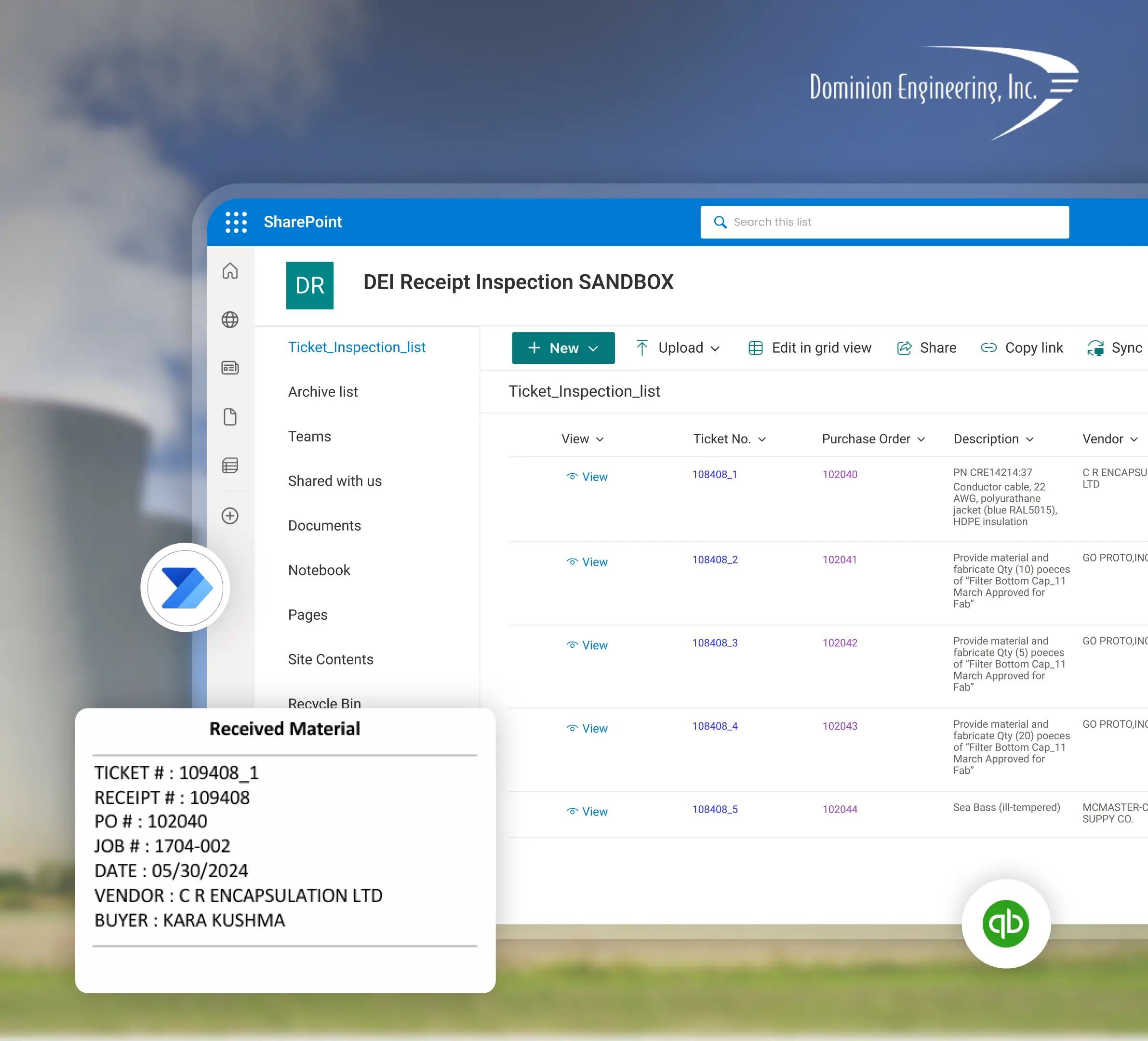
90% Faster Onboarding and Credit Approvals
A metal powder manufacturing company's onboarding and credit processes were slow and error prone, with delivery reports taking up to 5 hours. Power Automate cut onboarding and credit processing time by 80-90%, dropped delivery reports to under an hour, and minimized human error in credit approvals.
View Case Study
FAQ
Talk to our Power Automate experts
Free 30-minute discovery call. We'll audit your workflows, estimate timelines, and help you map out your automation goals.