US-Based · Microsoft Partner · Certified Power Apps Developers
Replace Spreadsheets & Manual Workflows with
Power Apps Development
Microsoft Power Apps is a low-code development platform- you describe the workflow you need, we build the app that automates it, without replacing your existing Microsoft 365 stack.
Trusted by
Philips
Nationwide
Penn Medicine
Forbes
Hoganas
Serving Global Brands and Healthcare Leaders






Key Benefits
Increased Productivity
Boost productivity by creating custom apps quickly without coding. Reduce reliance on IT and empower employees directly.
Cost & Time Saving
Build workflows 5x faster than traditional coding. Lower development costs, bypass long queues, and realize immediate returns on low-code investments.
Build Speed
5x Faster
Greater Accuracy & Sync
Automate repetitive processes to eliminate human error. Connect systems natively to keep field entries, managers, and cloud databases synchronized.
Ecosystem Connectors:
Outlook
SharePoint
Teams
Future-Proof Scalability
Built on Microsoft's secure, compliant Azure framework to easily scale alongside your business volume and shifting market needs.
Our Services
Power Apps Development Services
Power up your business with our Power Apps Services to improve efficiency and productivity of daily processes.
Microsoft Power Apps Consulting
We start every engagement with a scoping session, mapping your existing process, identifying where manual handoffs or spreadsheet-based data entry is slowing your team down, and recommending whether a Canvas App (custom UI, any data source) or a Model-Driven App (structured data, Dataverse-backed) is the right fit. Most scoping engagements take 1-2 weeks and produce a build roadmap.
Custom Power Apps Development
We build Canvas Apps and Model-Driven Apps connected to your existing data- Dataverse, SharePoint, SQL, or Azure with role-based access control so the right people see the right data. We document everything so your internal IT team can maintain it after handoff.
AI-Integrated Power Apps
We integrate AI Builder, Microsoft's built-in AI layer for Power Platform into your Power Apps to automate document processing (reading purchase orders, invoices, and forms), predict outcomes from historical data, and surface insights directly inside the apps your team already uses.
Workflows
Automated Business Processes In Action
We deploy custom logic and workflows to transform manual operations into structured automated pipelines.
Solution 01
Automated Credit Memo Approval
Streamline client expenditure processes using the Power Platform. By incorporating role-based approval gates and SharePoint policy structures, decisions are routed instantly to the right stakeholder.
Automate Approvals1
Submit Request
Employee enters net amount and attachments inside the Canvas Power App.
2
Automated Rule Check
Power Automate validates inputs and evaluates approval policies on the fly.
3
Dynamic Route Notification
Designated approver receives a decision card inside Outlook and Teams.
Solution 02
HR Onboarding & Off-Boarding
Digitize onboarding forms, establish automated notifications, and integrate e-signature checks to ensure a seamless workflow for new hires.
Automate HR Flows1
HR Initiates Ticket
Manager initiates onboarding in the central HR Power Apps dashboard.
2
Self-Service Forms
New employee receives a secure self-service link to log data & complete signatures.
3
Ecosystem Sync
Systems automatically provision account profiles, syncing records to Dataverse.
Solution 03
Claims Management Optimization
Deploy a mobile-friendly portal for easy claim logging and attachment uploads, routing entries to managers while tracking cycle times via Power BI.
Optimize Claims1
Log Claim on Mobile
Claims adjuster logs incident data and uploads image attachments on-site.
2
Queue & Flow Routing
Power Automate schedules queue assignment, calculating claim priorities.
3
Metrics Dashboard
Claims cycle-times and resolution rates are mapped in a live Power BI report.
Case Studies
Operational Excellence in Action
Read how our clients save employee hours, boost accuracy, and streamline operations using custom Power Platform solutions.
Electrical Infrastructure
A Utility Company Streamlines Field Operations with Power Apps
A utility company ran seven divisions on spreadsheets and paper. Payroll was slow, errors kept creeping in, and leadership had no live view of the numbers. Sunflower Lab built custom Power Apps for the field crews, an automated payroll engine to handle union pay calculations, and a Power BI dashboard that gives leadership real-time visibility.
View Case Study
Automotive Manufacturing
Saved 1200 Hours in Employee Shift Data Entry with Power Apps
MAI keep shift and production data in separate Excel file across many plant, one report eat 100+ hour a month, file-lock crash block team access. We built central Power Apps entry tool for all plant, role access split (worker enter data, admin set param), hook straight to Azure Data Lake and Power BI for auto report. Result: 1,200 hour save yearly, report time drop 40-60%, data silo gone across all plant.
View Case Study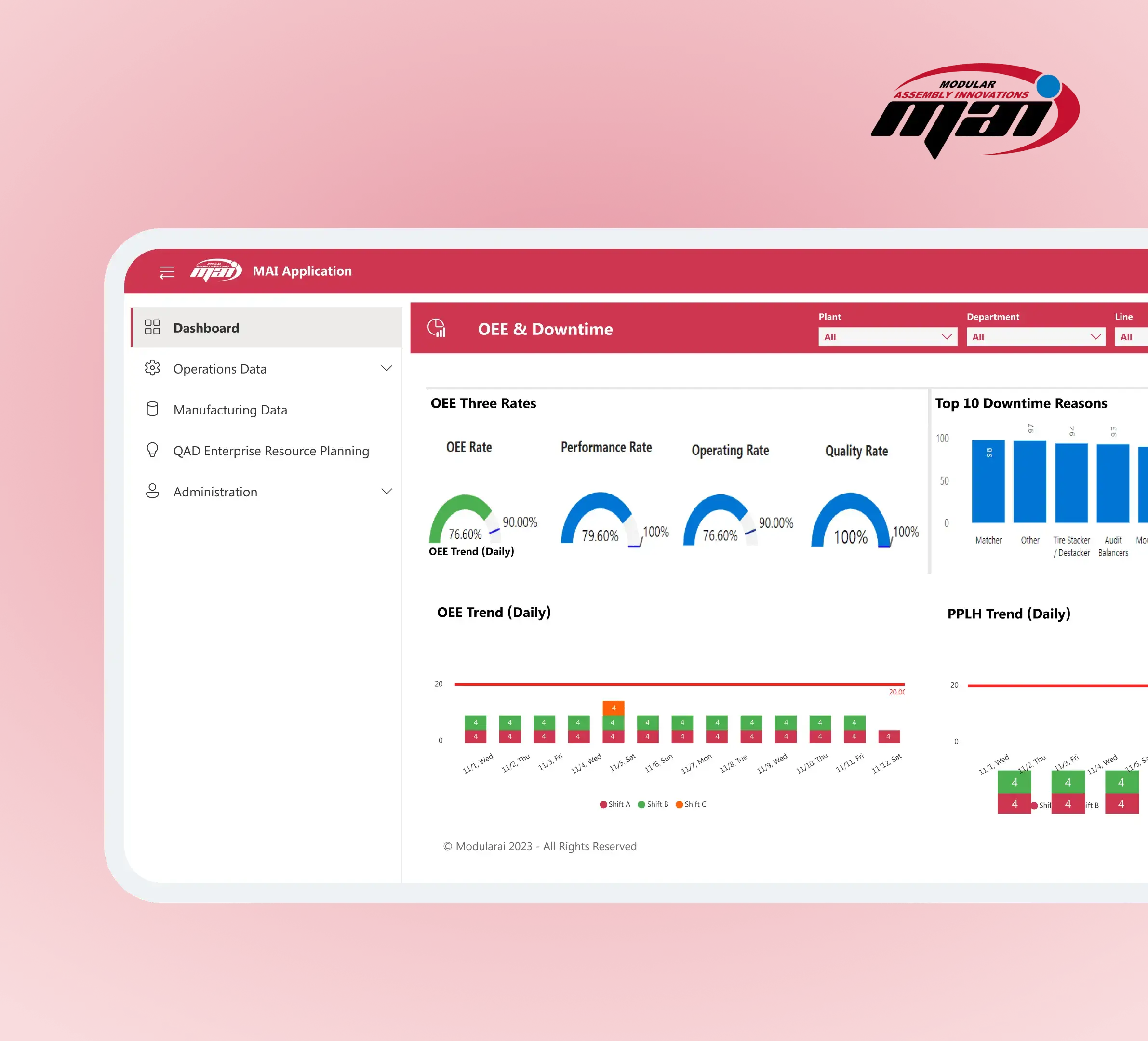
Safety Systems
Optimizing Approval Process & Collaboration with Power Apps
AMOT run Finance, HR, IT approval by hand, coordinator move credit request, PTO, employee change, offer, candidate reply through many-level chain, slow slow. We built Canvas App on Power Apps with Dataverse and Microsoft Approvals, hook to Outlook, route rule live in SharePoint, five flow go full auto. Result: credit memo approve 7x faster, five workflow run with zero human hand, request escalate itself no coordinator need.
View Case Study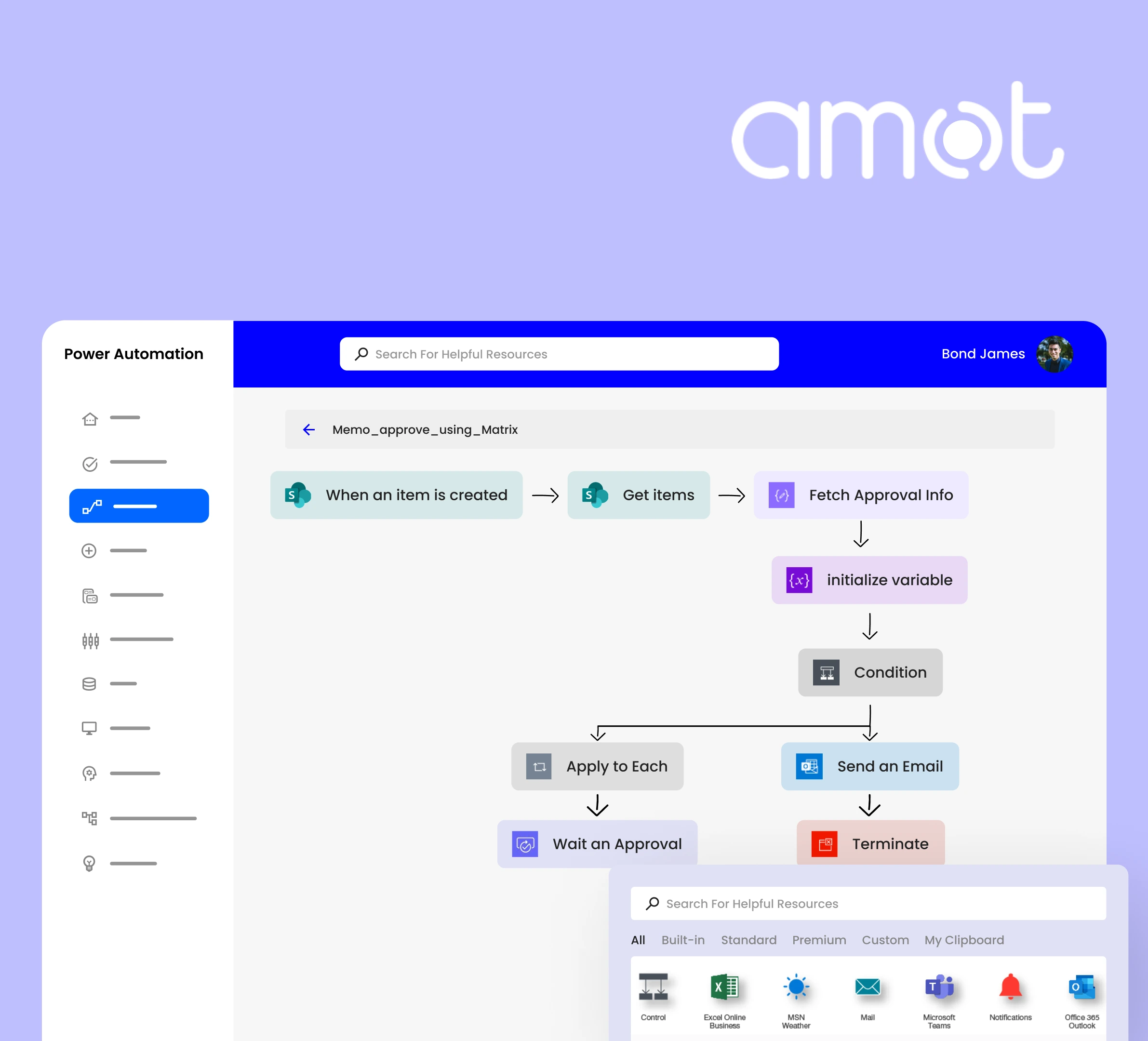
Industry Use Cases
Industry-Specific Power Apps Use Case
Accelerate operations with tailored workflows designed for your specific vertical.
Optimizing Retail Operations
Enhance retail operations and customer satisfaction with custom Power Apps designed for store management and field teams:
- Real-time inventory management tracking stock levels
- Customer feedback aggregation for instant management reviews
- Unified store performance dashboards for regional managers
Store Stock Audit Cycle Time
4h → 20m
Audit cycle time
98%
Inventory visibility accuracy
Finance & Expense Reporting
Enhance your expense reporting efficiency with Power Apps that simplifies submission, tracking, and approval processes:
- Automated expense reporting system for employee receipt uploads
- Financial data visualization for leadership oversight
- Real-time budget management tools linked to Excel & ERP
Average Expense Approval Time
7 Days → 4h
Expense approval timeline
-45%
Processing overhead cost
Healthcare Coordination
Improve patient care coordination by using Power Apps that enable remote consultations and track treatment progress:
- Patient health records portals for clinical staff access
- Medication reminder system for outpatient tracking
- Telemedicine applications linking patients to providers
Patient Intake & Triage Time
45m → 6m
Intake and logging time
HIPAA
Compliant cloud setup
Manufacturing Operations
Improve operational efficiency through Power Apps to monitor equipment maintenance and real-time production metrics:
- Digital equipment maintenance logs for floor technicians
- Real-time production line monitoring apps
- Supplier collaboration portals for procurement updates
Equipment Log Processing Time
5h → 1h
Log preparation & submission
-90%
Manual reporting errors
Education & Student Portals
Enhance student engagement and administrative efficiency with custom Power Apps for enrollment and tracking:
- Seamless course enrollment platforms for active students
- Interactive alumni network apps for fundraising and engagement
- Comprehensive student progress tracking dashboards
Course Registration Time
3 Days → 10m
Registration processing
95%
Self-service adoption rate
Our Methodology
Planning a Power App Project With SFL
Let’s make a basic outline for your Power App Development Journey — from ideation to continuous support.
Establishing the Foundation
Define the app’s purpose, target users, and intended goals to ensure the app is built to solve the core business problem. We align with stakeholders on deliverables, deadlines, and success metrics.
Key Deliverables
- Goal Alignment
- User Personas
- Process Mapping
- Project Scope
UX Mockups & Architecture
Plan user tasks and UX flow, followed by an architectural blueprint mapping how Power Apps and Power Platform tools (Dataverse, Automate) connect to your database structure.
Key Deliverables
- UX Wireframes
- Architecture Maps
- Dataverse Schemas
- Ecosystem Blueprint
Agile Solution Development
Our certified team handles building the solution components, configuring Dataverse entities, setting up Power Automate logic flows, and custom coding API endpoints.
Key Deliverables
- Component Build
- Logic & Automations
- Custom APIs
- Ecosystem Connectors
Quality Assurance & Usability
Verify app functionality across devices, test connectors, check performance limits, and run user acceptance testing (UAT) with real users to harvest initial feedback.
Key Deliverables
- Cross-device Auditing
- Connector Testing
- Usability Feedback
- Performance Audits
Seamless Rollout & Integration
Publish solution components to production environments. We set up active security roles, integrate with Teams/SharePoint, and publish discoverable QR codes.
Key Deliverables
- Publishing solution
- Security Mapping
- Teams Integration
- QR Code Setup
Analytics & Optimization
Analyze production usage metrics, harvest direct employee suggestions, and configure Power BI dashboard analytics to discover workflow blockages.
Key Deliverables
- Usage Auditing
- Employee Feedback
- Power BI Integration
- Process Optimization
Continuous SLA Maintenance
Ensure your system operates flawlessly. We provide continuous support, resolve database shifts, deploy API security patches, and issue rolling feature updates.
Key Deliverables
- System Troubleshooting
- API Patches
- Rolling Updates
- Flawless SLA Support
15+
Years of Experience
250+
Projects Completed
96%
Customer Retention
150+
Experts Onboard
Common Questions
FAQ
A Power Apps development service takes a manual or spreadsheet-based business process and turns it into a custom application running inside your Microsoft 365 environment. The deliverable is typically a Canvas App (flexible UI, connects to any data source) or a Model-Driven App (structured data, Dataverse-backed, suited for complex business logic). The service includes discovery and scoping, app design and build, integration with existing systems — SharePoint, Dynamics 365, Azure SQL, or external APIs — testing, deployment, and a documentation handoff so your IT team can maintain it. Most projects are complete in 4-8 weeks.
Power Apps is one component of the Microsoft Power Platform — the suite also includes Power Automate (workflow and approval automation), Power BI (interactive reporting and dashboards), Power Pages (external-facing web portals), and Copilot Studio (AI chatbot builder). A Power Apps development project can be standalone, or it can be the data-entry layer in a larger Power Platform solution where Power Automate handles routing and Power BI surfaces the analytics. Sunflower Lab builds across all five components and can scope the right combination for your use case.
Look for three things: Microsoft certification (Solutions Partner status means the vendor has been vetted by Microsoft), a portfolio of completed apps in your industry, and a delivery model that includes documentation and handoff rather than leaving your team dependent on the vendor for every update. Sunflower Lab is a certified Microsoft Solutions Partner with 250+ Power Platform projects completed, primarily for manufacturing, logistics, and healthcare teams in the US. Most of our clients' IT teams can manage day-to-day updates themselves after our handoff.
A custom Power Apps build starts from your actual process — the specific data fields your team tracks, the approval chain your organization uses, the legacy systems it needs to connect to — rather than from a generic template. Templates accelerate early-stage development but almost always require customization when real business rules are applied. Sunflower Lab's custom Power Apps projects include integration with client-specific systems (QAD ERP, industry-specific databases, proprietary flat files), role-based access control matched to organizational hierarchy, and data validation rules that enforce your business logic at the point of entry.
Get In Touch
Talk to our Power Apps experts
Free 30-minute discovery call. We'll audit your workflows, estimate timelines, and help you map out your automation goals.
No commitment required
Specialists respond within 2 business hours
Your Certified Local Partner for Power BI, Power Apps, and Power Automate
Power Apps Development
Power BI Development