SharePoint Consulting Services Built for the AI-First Workplace
Migration, governance, custom development, and Microsoft 365 Copilot readiness — delivered by Sunflower Lab's Microsoft-certified engineers so SharePoint becomes the reliable knowledge layer your Power Platform and AI agents run on.
You've been on Microsoft 365 for 3+ years — are you actually getting the benefits?
Files are everywhere
Teams, OneDrive, SharePoint, file shares, and inbox attachments all hold a different version of the truth.
Permissions have drifted
Nobody is sure who can see what — and you only find out when the wrong person opens the wrong folder.
Workflows run on email
Approvals, inspections, onboarding, and document routing happen in inboxes instead of Power Automate flows.
Copilot is on the roadmap
But your SharePoint content is not ready. Without governance, metadata, and clean permissions, every AI answer becomes a risk.
SharePoint services we deliver
SharePoint Consulting
Roadmap, current-state assessment, governance design, licensing review, success metrics.
Start with the Health Check →SharePoint Implementation
Greenfield SharePoint Online tenant build, modern site architecture, hub-and-spoke design, navigation, branding.
Scope a build →SharePoint Migration
File shares, legacy SharePoint, Google Drive, Box, and Dropbox into SharePoint Online — metadata and permissions preserved.
Plan the migration →Custom Development
SPFx web parts and extensions, custom APIs, Teams apps, list and library extensions.
Talk to an engineer →Integration
Dynamics 365, Power BI, Power Automate, Power Apps, OneDrive, Teams, QuickBase, ERP, CRM.
Map the integrations →Modernization
Classic to modern, custom master pages retired, branding migrated, navigation rebuilt for adoption.
Modernize the tenant →Governance & Permissions
Site provisioning, naming, retention, eDiscovery readiness, oversharing detection, sensitivity labels.
Fix the permissions →Document Management
Metadata model, retention, records management, intelligent document processing on top.
Rebuild the DMS →Workflow Automation
Power Automate flows on SharePoint lists for approvals, inspections, vendor onboarding, invoice routing.
Automate a workflow →SharePoint, Power Platform, and Copilot — one team
- Copilot grounding. Microsoft 365 Copilot uses SharePoint as its top grounding source. Messy sites mean messy answers.
- Power Automate on lists. Approvals, inspections, vendor workflows — proven at Dominion Engineering.
- Power Apps on top. SharePoint lists become mobile-friendly internal tools — proven at AMOT and MAI.
- Power BI source of truth. SharePoint as a sanctioned data source for governed reporting.
- SharePoint Agents and Copilot Agents. Custom agents grounded in your tenant with permission awareness.
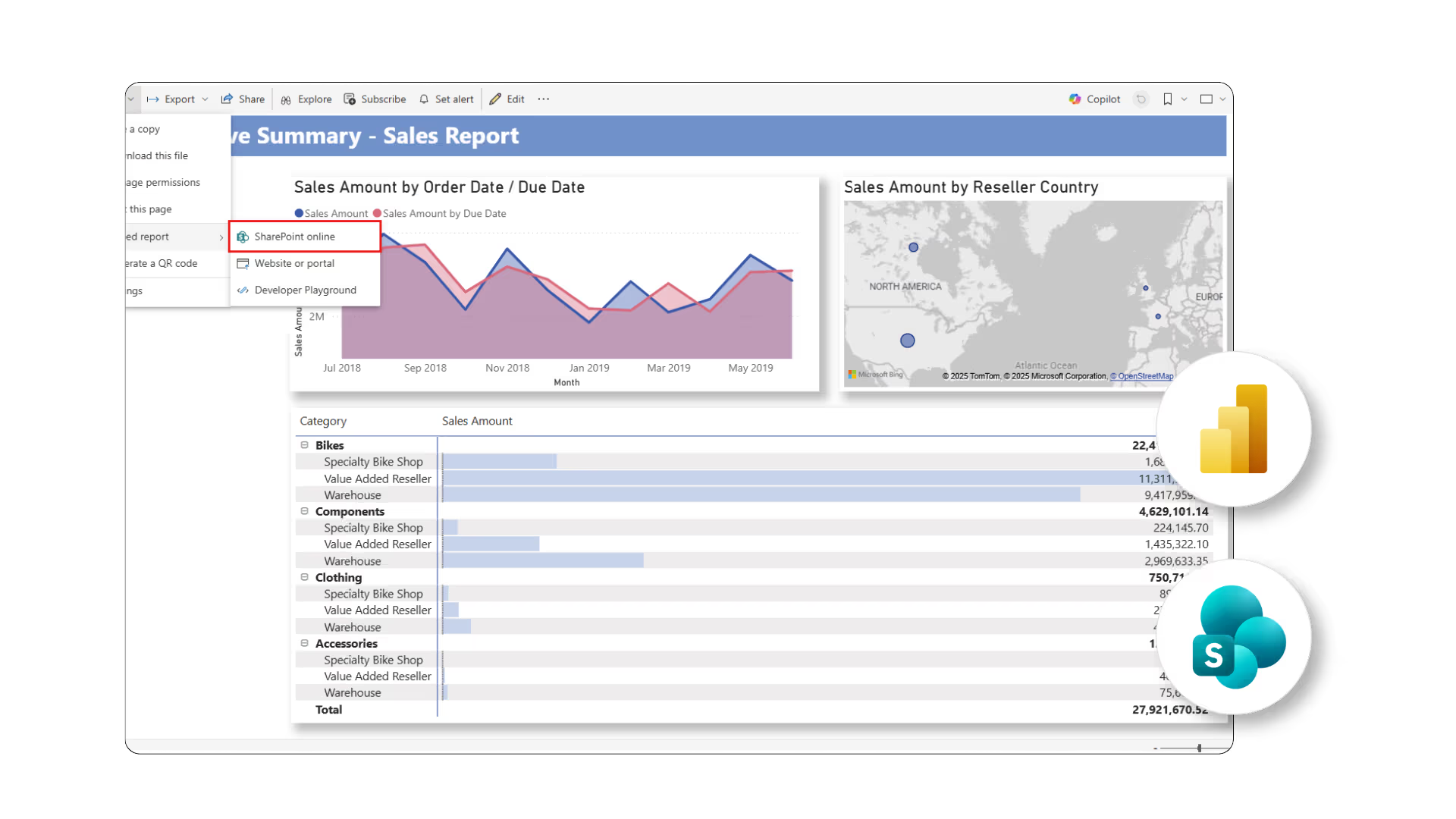
SharePoint + Power BI: One Governed Data Layer, Not Five Spreadsheets
What we build
- Power BI dashboards sourced directly from SharePoint lists and document metadata
- Row-level security mapped to existing SharePoint permission groups
- Branch, department, or clinician-level views from one governed dataset
- Automatic flags for outliers — cost overruns, overdue approvals, missing documents
Real SharePoint work — named clients, real numbers
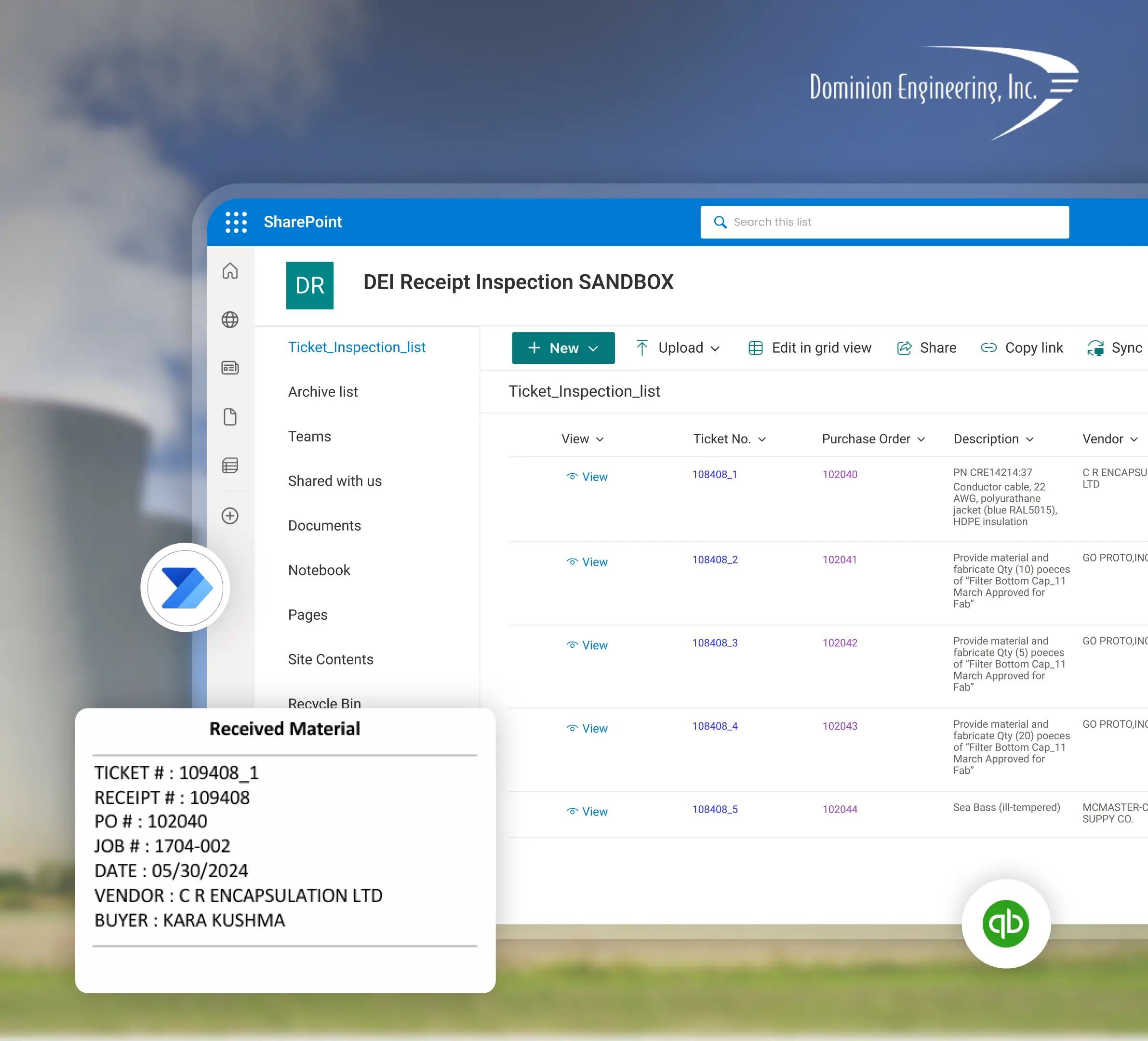
Dominion Engineering: 60 hours a month, returned
A Nuclear Electric Power Generation company partnered with Allied Power. Manual product receipt and inspection workflow ate about 60 hours every month, with data spread across Dynamics 365, Excel, and QuickBase. What we built: SharePoint Dashboard, Power Automate flows triggered by Dynamics 365 receipts, auto-attachment from Teams folders to the right Purchase Order in SharePoint, and filtered SharePoint URLs so vendors see only their POs.
Real-time labor & margin visibility across a multi-branch pediatric practice
Connect Pediatrics had no patient-level visibility into revenue, payroll cost, labor %, staffing %, overtime exposure, or outliers. This led to rising labor cost, decreasing staffing efficiency, and margin risk buried in manual reports. We built a Power BI dashboard on SharePoint with branch, patient, and clinician-level views, plus outlier detection for high labor %, excessive overtime, and low staffing.

How we deliver a SharePoint engagement
Assess
Tenant audit, governance assessment, content inventory, integration map, success metrics.
1–2 weeksArchitect
Information architecture, permission model, migration map, governance framework, AI-readiness checklist.
1–2 weeksBuild
Site build, SPFx components, Power Automate flows, Power Apps front ends, migration, integrations.
2–6 weeksAdopt & Operate
Training, documentation, change management, performance monitoring, optional managed support.
OngoingSharePoint engagement models & pricing
SharePoint Health Check
Tenants running 3+ years that need a defensible roadmap before Copilot or migration.
Book the Health Check →Focused Build
One workload — migration, governance, intranet refresh, or a Power Automate workflow on SharePoint.
Scope a Focused Build →Platform Program
Multi-workload SharePoint + Power Platform + Copilot enablement across business units.
Talk about a Program →Managed Support
Once live, ongoing engineering retainer to evolve and maintain the tenant.
Discuss Support →SharePoint consulting — answers to the 12 questions buyers ask
What is SharePoint consulting?
How much does SharePoint consulting cost?
How long does a SharePoint migration take?
What is the difference between SharePoint Online and on-premises?
Do I need a Microsoft Solutions Partner for SharePoint?
Can SharePoint replace our intranet, file shares, and document management system?
What is the role of Microsoft 365 Copilot in SharePoint?
How do you secure SharePoint permissions at scale?
Does SharePoint integrate with Dynamics 365, Power BI, and Microsoft Teams?
What is a SharePoint Health Check?
Where is Sunflower Lab located?
How do I book a SharePoint assessment?
Book your Free SharePoint Assessment
A 30-minute call with a Microsoft engineer. Tell us what your tenant looks like today. You get back a 1-page roadmap and a realistic investment range — even if Sunflower Lab is not the right partner.