

Dynamics 365 CRM Consulting for Atlanta Teams That Work Across Storm Days, Show Weeks, and Server Rooms
Most Dynamics 365 CRM rollouts in Atlanta stop at the standard forms. Six months later, crews text photos to a manager, the show week desk runs on a shared spreadsheet, and the pipeline number in your forecast review doesn't match what's in the system. We implement Dynamics 365 CRM end to end from our office at 191 Peachtree Street NE, then build the automation and reporting layer that makes it the system people actually use.
What Is Dynamics 365 CRM Consulting?
Dynamics 365 CRM consulting is the work of implementing, configuring, and integrating Microsoft's Sales, Customer Service, and Field Service applications so a team runs its deal cycle, support queue, and field operations inside one system, not a spreadsheet next to it. Sunflower Lab handles the full cycle: data migration, configuration, Power Platform automation, and the Copilot layer that decides whether the CRM gets used daily or ignored.
For Atlanta companies, that usually means the work that happens off site: crew and equipment dispatch, offline mobile work orders, text message service desks, and sales that start with a paid design phase.
Your Dynamics 365 CRM Is Probably a Very Expensive Contact List. Here's Why.
Dynamics 365 CRM has real momentum, with Sales, Customer Service, and Field Service now running on the same Copilot-infused platform. But owning the license and running the deal cycle inside it are two different things. We see the same three failures across Dynamics 365 CRM environments:
Reps keep their own spreadsheet
The CRM has the forms, but nobody trusts the data enough to work out of it exclusively.
Data entry is inconsistent
Duplicate accounts, incomplete contact records, and lead scoring nobody configured past the default.
The forecast doesn't match the pipeline
Leadership pulls a number for the board deck that doesn't match what's actually sitting in the system.
If any of that sounds familiar, it's rarely the software. It's that implementation stopped at go-live.
Full-Cycle Dynamics 365 CRM Implementation
We don't bolt automation onto someone else's rushed rollout. We implement Dynamics 365 CRM from requirements through adoption, across Sales, Customer Service, and Field Service.
Getting the Data and Process Right
Before automation or reporting means anything, the underlying data and process need to hold up. We work on:
- Module and licensing strategy: which of Sales, Customer Service, and Field Service your team actually needs, not the full suite by default
- Data model design and migration from a legacy CRM, spreadsheets, or a platform like Salesforce or HubSpot
- Business process flows, forms, and views configured around how your team actually sells and services
- Starting app chosen by where the pain is: Field Service first for crews and technicians, Customer Service first for queues and show week desks, Sales first for estimate driven teams
- Security roles and business units set up so the right people see the right records, nothing more
- Server-side sync for email and calendar so activity logs itself instead of relying on reps to type notes
Making the CRM Something People Actually Use
Once the foundation is solid, the CRM can start doing work on its own. We build:
- Power Automate workflows for lead routing, case escalation, and approval chains
- Field Service schedule boards that match crews and equipment to each work order, with offline mobile for sites where signal drops
- Time entries that separate drive time, work time, and breaks so payroll exports match your pay rules
- Text message intake and reopen rules for Customer Service, so a reply after a closed case does not disappear
- Power BI dashboards for pipeline, service SLAs, and field technician utilization
- Power Apps for the exception workflows Dynamics 365's standard screens don't cover
- Copilot configuration for AI-assisted case summaries, email drafting, and next-best-action
- Integration with Microsoft 365 and, where relevant, Business Central or Finance and Operations
Running Sales and Marketing together and need the lead-scoring and handoff story specifically?
See Dynamics 365 Sales & Marketing →Where Dynamics 365 CRM Fits Atlanta Teams
Six kinds of Atlanta businesses we see where the CRM has to work off site, in a queue, or across two sales.
Tree care, landscape, and grounds contractors
Calls spike after a storm, and each one needs a photo, a hazard level, and the right crew and equipment. We set up Sales for estimates, Customer Service for the storm queue, and Field Service for crew and equipment matching, so dispatch stops texting photos to the owner.
Pest and termite control companies
Recurring service plans, termite bond renewals, and re-service calls all live on one customer record. We connect agreements to visit schedules, add a rule for replies after a closed visit, and give branch managers repeat visit counts by product and technician.
Data center and critical facility service contractors
Generator, UPS, and cooling maintenance happens in cages and basements where signal drops and visits need advance notice. We configure offline mobile work orders, asset histories, and escalation paths so a missed window shows up before the customer calls.
Convention, exhibit, and event service contractors
Show week brings hundreds of small orders and problems in four days. We set up exhibitor accounts, show and booth fields, a service desk queue that takes text messages, and same day work orders for crews on the floor.
Historic district and intown renovation design-builders
A paid design phase leads to a build contract, with design review and permit steps between them. We link the two sales, carry the approved scope forward, and track approvals and warranty visits on the same customer record.
Commercial door, gate, and glass repair companies
Emergency openings, daily service calls, and technicians who cover the whole metro. We set up case intake with priority rules, time entries for drive and work time, and a schedule board that reflects real travel.
What This Looks Like in Practice
Both projects were delivered for clients outside Atlanta. The same pattern applies to Atlanta teams running Dynamics 365 CRM.
Cold Storage & Logistics: From Weekly Excel Exports to Real-Time KPIs
Core X Partners runs cold storage and logistics across multiple warehouses. Dynamics 365 was already their system of record, but the team was still updating operational metrics in Excel every week. We built the integration layer connecting Dynamics 365, their warehouse management system, and their CRM data directly into Power BI. Result: 16 warehouses reporting in real time, 3 systems unified into one dashboard, zero manual weekly Excel exports left.
View Case Study
Inspections From 15 Minutes to Seconds
Dominion Engineering's product inspections took 15 minutes each, with data scattered across disconnected systems. We connected SharePoint and Dynamics 365 through Power Automate, auto-generating inspection tickets and Teams alerts on every receipt trigger. Result: inspection time cut to seconds, 10-15 hours saved weekly, and 60 hours saved monthly in receivables.
View Case Study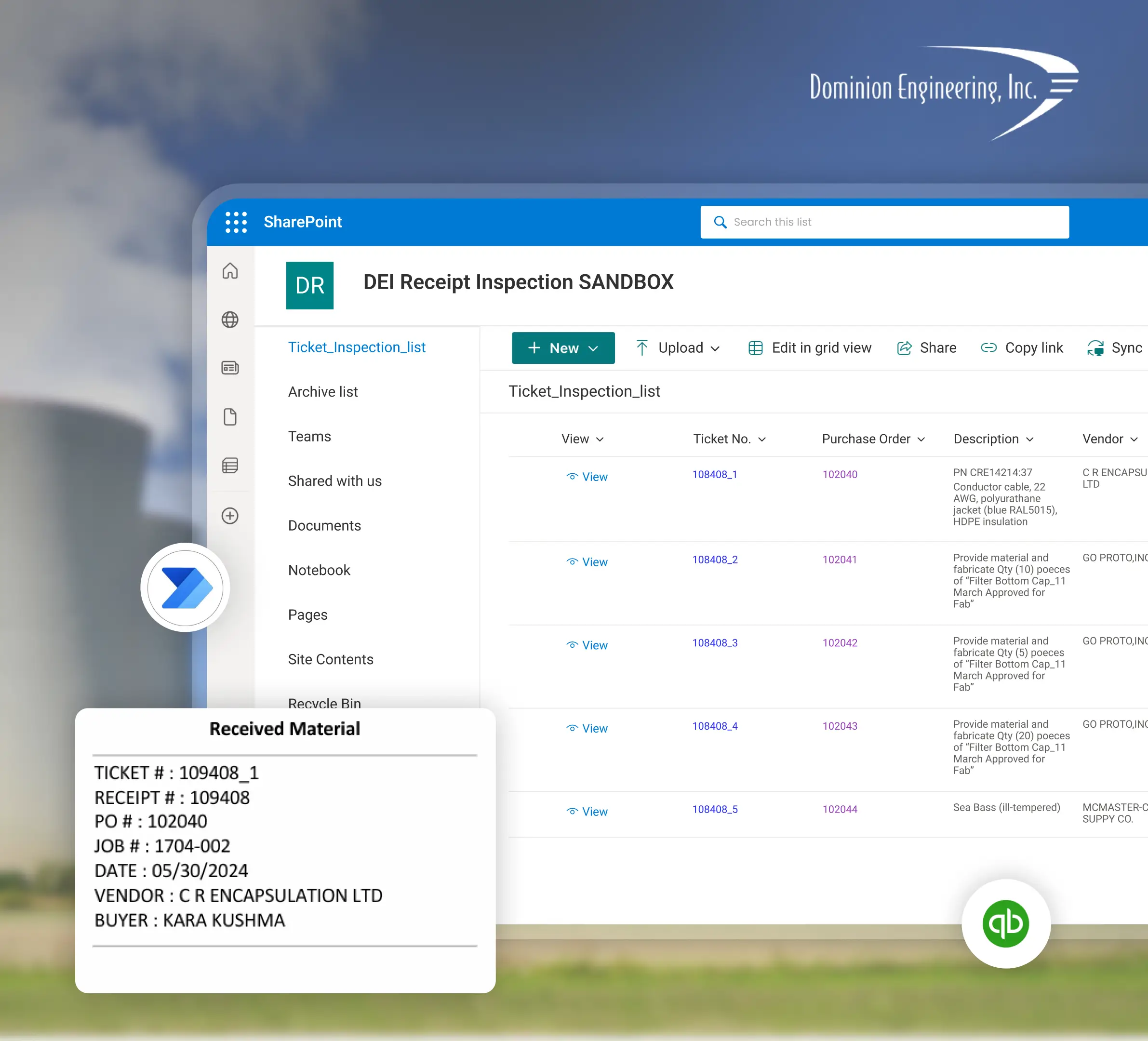
Planning a Dynamics 365 CRM Implementation with Sunflower Lab
Discovery & CRM Audit
We map your current sales and service process, data quality, and where reps are working around the system. The first session can run on site at your Atlanta location or at our Peachtree Street NE office.
Data & Process Design
Migration plan, data model, and automation scope, with a fixed-price roadmap before any build starts.
Build & Migrate
Configuration, data migration, and automation built in focused sprints.
Adopt & Scale
Training, adoption support, and ongoing tuning as usage and the Copilot layer grow.
Dynamics 365 CRM Questions From Atlanta Teams
Talk to our Dynamics 365 CRM experts in Atlanta
Free 30-minute discovery call. We'll audit your current CRM setup, estimate migration scope, and map out the automation layer.

