

Dynamics 365 CRM Consulting for Florida Teams That Serve Seasonal Customers and Sudden Surges
In Florida, the customer is often somewhere else. Owners are away for the summer, carriers send jobs by the dozen when the weather turns, and a checkout time or a grounded aircraft sets the clock. Dynamics 365 CRM can hold all of that, but only if it is built around those waves. We implement Sales, Customer Service, and Field Service end to end, with in person discovery available from our Miami office in Brickell, then build the automation and reporting layer that makes the CRM the system your team actually uses.
What Is Dynamics 365 CRM Consulting?
Dynamics 365 CRM consulting in Florida is the work of implementing, configuring, and integrating Microsoft's Sales, Customer Service, and Field Service applications so a team runs its deal cycle, service queue, and field visits inside one system instead of a spreadsheet and a phone call. Sunflower Lab, a Microsoft Solutions Partner with an office in Miami, handles the full cycle: data migration, configuration, Power Platform automation, and the Copilot layer that decides whether the CRM gets used daily or ignored. In Florida that often means one system serving customers who are away part of the year, vendors working on their behalf, and volume that arrives in waves.
Florida Teams Get Approvals by Phone and Busy Weeks by Overtime, Then Call It a CRM
The software goes live, and the real work still happens somewhere else. We see the same three failures across Florida Dynamics 365 CRM environments:
Extra work is approved by phone
A customer says yes on a call, nothing is written down, and the invoice becomes an argument.
Busy weeks run on overtime and personal cell phones
Checkout weekends, peak season, and storm weeks send more cases than the queue can hold, so staff text each other instead.
The customer is out of town
Owners and clients are away for months, so updates, photos, and reports go out as phone calls at odd hours instead of living on the record.
If any of that is happening, the CRM is not the problem. It was set up for the standard forms and nothing past them.
Full-Cycle Dynamics 365 CRM Implementation
We don't bolt automation onto someone else's rushed rollout. We implement Dynamics 365 CRM from requirements through adoption, across Sales, Customer Service, and Field Service.
Getting the Data and Process Right
Before automation or reporting means anything, the underlying data and process need to hold up. We work on:
- Module and licensing strategy: which of Sales, Customer Service, and Field Service you need, and which seasonal or part time staff can work on a lighter license
- Data model design and migration from a legacy CRM, spreadsheets, or a platform like Salesforce or HubSpot
- Account and asset structure for owners, managers, vendors, and the homes, aircraft, or equipment they hold, so the right person is contacted and the record shows who approved what
- Business process flows, forms, and views configured around how your team actually sells and services
- Security roles and business units set up so the right people see the right records, nothing more
- Server-side sync for email and calendar so activity logs itself instead of relying on reps to type notes
Making the CRM Something People Actually Use
Once the foundation is solid, the CRM can start doing work on its own. We build:
- Power Automate workflows for lead routing, case escalation, and time stamped approvals for extra work
- Power BI dashboards for pipeline, service SLAs, technician utilization, and queue volume in peak weeks
- Power Apps for the exception workflows standard screens do not cover, such as checklists, readings, and photo capture
- Copilot configuration for AI-assisted case summaries, email drafting, and next-best-action
- Integration with Microsoft 365 and, where relevant, Business Central or Finance and Operations
- Summaries and photos sent to customers after each visit, so out of town customers are not left calling for an update
Running Sales and Marketing together and need the lead scoring and handoff story specifically?
See Dynamics 365 Sales & Marketing in Florida →How Florida Businesses Use Dynamics 365 CRM
Six Florida business types where the customer is away, the clock is tight, or an approval has to be on record, and how each one is set up.
Vacation rental managers in Orlando and Kissimmee, the Emerald Coast, and the Florida Keys
Guests report problems at all hours, and every stay has a hard checkout time. Customer Service turns each report into a case tied to the reservation and the home, Field Service creates the turnover and repair work orders for cleaners and vendors, and Power BI shows repeat issues by property. Reservations, payouts, and owner statements stay in the property management system.
Home watch and seasonal property care companies in Southwest Florida and the Treasure Coast
Owners are away for months and want proof that someone checked. Each home carries a service agreement with the dates the owner is away, Field Service sends a checklist visit on schedule, and the technician records photos on the phone. The owner gets a summary after each visit, and a missed visit shows on the dispatcher board the same day.
Aviation maintenance shops, avionics installers, and FBOs in Fort Lauderdale, Orlando, and Tampa Bay
A grounded aircraft needs a fast answer, and a long inspection turns up extra work the owner must approve. Each aircraft is a customer asset, each visit is a parent case, and each finding is a child case with its own estimate and approval. Maintenance records stay in the maintenance tracking system.
Water damage restoration and mitigation contractors in Tampa Bay, Southwest Florida, and Jacksonville
Work arrives from insurance carriers, third party administrators, and property owners, each with its own paperwork. Each job is a case with the referral partner and claim reference, Field Service books the mitigation crew, and a Power Apps form captures moisture readings and photos before the job can close. Power BI shows response time by referral partner.
Moving, storage, and relocation companies in Tampa Bay, Orlando, and South Florida
A move starts as an estimate, becomes a booked crew, and sometimes ends as a damage claim. Sales tracks the estimator visit, the quote with optional coverage, and the signed acceptance. Customer Service tracks claims and storage questions on the same customer record, so the person answering the phone sees the whole move. Dispatch and billing stay in the move management software.
Law firms handling high volume intake in Miami, Jacksonville, Tampa, and Orlando
Inquiries arrive by phone, web form, and referral, and first call notes are sensitive. Sales tracks each inquiry through intake stages and engagement letter status, security rules limit who sees the notes, and Power BI reports inquiry counts by source without client detail. Matters, billing, and conflict checks stay in the practice management system.
What This Looks Like in Practice
Cold Storage & Logistics: From Weekly Excel Exports to Real-Time KPIs
Core X Partners runs cold storage and logistics across multiple warehouses. Dynamics 365 was already their system of record, but the team was still updating operational metrics in Excel every week. We built the integration layer connecting Dynamics 365, their warehouse management system, and their CRM data directly into Power BI. Result: 16 warehouses reporting in real time, 3 systems unified into one dashboard, zero manual weekly Excel exports left.
View Case Study
Inspections From 15 Minutes to Seconds
Dominion Engineering's product inspections took 15 minutes each, with data scattered across disconnected systems. We connected SharePoint and Dynamics 365 through Power Automate, auto-generating inspection tickets and Teams alerts on every receipt trigger. Result: inspection time cut to seconds, 10-15 hours saved weekly, and 60 hours saved monthly in receivables.
View Case Study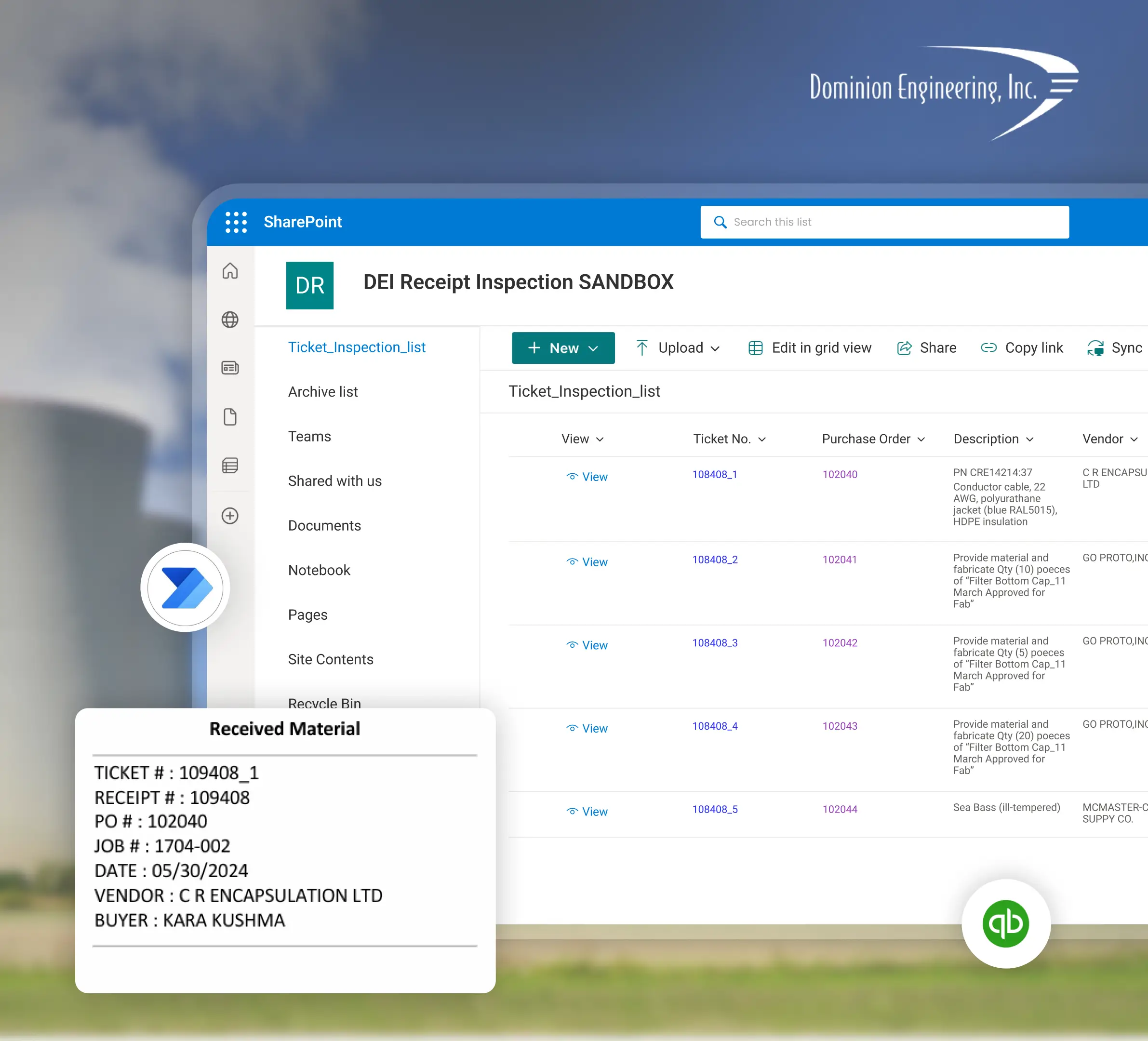
Planning a Dynamics 365 CRM Implementation with Sunflower Lab
Discovery & CRM Audit
We map your current sales and service process, data quality, and where reps are working around the system. In person discovery is available from our Miami office in Brickell. For sites elsewhere in Florida we start remotely and scope any travel for go-live up front.
Data & Process Design
Migration plan, data model, and automation scope, with a fixed-price roadmap before any build starts.
Build & Migrate
Configuration, data migration, and automation built in focused sprints.
Adopt & Scale
Training, adoption support, and ongoing tuning as usage and the Copilot layer grow.
Dynamics 365 CRM in Florida: Frequently Asked Questions
Talk to our Dynamics 365 CRM experts
Free 30-minute discovery call. We'll audit your current CRM setup, estimate migration scope, and map out the automation layer.

