

Dynamics 365 CRM Implementation in Dallas-Fort Worth, Built Around How You Sell and Service
Most Dynamics 365 CRM rollouts in Dallas stop at the standard forms. Then a technician opens a work order for a lift truck with no service history, a repair above the owner spending limit waits on a text message, and a restaurant group shows up as a dozen separate records. We implement Dynamics 365 CRM from our Dallas-Fort Worth office in Coppell, then build the automation and reporting layer that makes it the system people actually use.
What Is Dynamics 365 CRM Consulting?
Dynamics 365 CRM consulting is the work of implementing, configuring, and integrating Microsoft's Sales, Customer Service, and Field Service applications so a team runs its deal cycle, support queue, and field operations inside one system, not a spreadsheet next to it. Sunflower Lab handles the full cycle: data migration, configuration, Power Platform automation, and the Copilot layer that decides whether the CRM gets used daily or ignored. In Dallas that often means one system covering a lift truck with its own service history, an apartment unit waiting to be turned for the next resident, and a buyer who has to finish choosing options before a lock date.
Dallas Teams Leave Service History in the Truck and Approvals in a Text Thread
A license is not an implementation. We see the same three failures across Dallas Dynamics 365 CRM environments:
Service history stays with the last technician
A technician arrives at a unit, a lift truck, or a home, and the record shows a customer name but not what was repaired, what was quoted, or what is still under warranty.
Approvals travel by text message
A repair, a credit, or an extra part needs an owner or a manager to say yes, and the answer lives in a phone thread nobody else can find.
Groups hide behind single locations
A restaurant group, a property owner, or a builder with many communities appears as separate records, so the account team cannot see the whole relationship or every open problem.
If that sounds familiar, the software is rarely the cause. The implementation stopped at the standard forms.
Full-Cycle Dynamics 365 CRM Implementation
We don't bolt automation onto someone else's rushed rollout. We implement Dynamics 365 CRM from requirements through adoption, across Sales, Customer Service, and Field Service.
Getting the Data and Process Right
Before automation or reporting means anything, the underlying data and process need to hold up. We work on:
- Module and licensing strategy: which of Sales, Customer Service, and Field Service your team actually needs, not the full suite by default
- Data model design and migration from a legacy CRM, spreadsheets, or a platform like Salesforce or HubSpot
- Business process flows, forms, and views configured around how your team actually sells and services
- Security roles and business units set up so the right people see the right records, nothing more
- Server-side sync for email and calendar so activity logs itself instead of relying on reps to type notes
- Asset, meter, and warranty records tied to each unit, lift truck, or home, so every visit starts with its history
- Parent and child account setup for groups with many locations, with local contacts and delivery details on each
Making the CRM Something People Actually Use
Once the foundation is solid, the CRM can start doing work on its own. We build:
- Power Automate workflows for lead routing, case escalation, and approval chains
- Power BI dashboards for pipeline, service SLAs, and field technician utilization
- Power Apps for the exception workflows Dynamics 365's standard screens don't cover
- Copilot configuration for AI-assisted case summaries, email drafting, and next-best-action
- Integration with Microsoft 365 and, where relevant, Business Central or Finance and Operations
- Power Apps field forms that turn a technician finding into a quote or a case
- Power Automate approvals for repairs, credits, and extra parts above a limit you set
Running Sales and Marketing together and need the lead-scoring and handoff story specifically?
See Dynamics 365 Sales & Marketing in Dallas →How Dallas Businesses Use Dynamics 365 CRM
Six Dallas business types where the CRM has to hold a unit, a home, a group of locations, or an approval, and how each one is set up.
Lift Trucks and Rental Yards
Material handling dealers and equipment rental yards serving warehouses from Fort Worth to Alliance and the southern Dallas industrial corridor.
A lift truck is a serial number with a meter reading, a customer, and a service history. Field Service stores each unit as a customer asset whether it was sold, rented, or is on a service plan, so a technician opens the work order and sees what was repaired last time. When a rental unit comes back, an inspection form in Power Apps records damage with photos and starts a billing review. Power BI shows repeat repairs by model and by customer.
Food Distributors and Short Deliveries
Food distributors delivering to restaurants, school cafeterias, and grocery stores across the Metroplex.
A driver finds a short case or a damaged pallet, and the customer calls the rep an hour later. A Power Apps form on the driver phone logs the item and a photo on the stop, which opens a case on the account and a credit request to the rep. Credits above your limit go to a manager through Power Automate, and the credit itself is issued in your ERP. Power BI shows shorts by route and by product.
Heating, Cooling, Plumbing, and Electrical
Heating, cooling, plumbing, and electrical contractors in the Dallas suburbs from Rockwall to Cedar Hill.
Maintenance memberships renew every year, and a renewal that depends on someone remembering to call is a renewal at risk. Field Service turns each membership into recurring work orders with the equipment at the address attached. Sales opens a renewal opportunity ahead of each agreement end date, Power Apps captures signature and parts from the truck, and Power BI shows renewal rate and first visit fix rate by territory.
Property Managers and Multifamily
Property managers and multifamily operators in Dallas, from Oak Cliff to DeSoto.
Residents report repairs through the portal, phone, and email, and some repairs need an owner to say yes before work starts. Customer Service creates a case on the unit, and a Power Automate approval asks the owner when the estimate passes the limit in the management agreement. Field Service sends in house staff or a vendor who closes the job with photos. Rent, accounting, and owner statements stay in the property system.
Homebuilders and Remodelers
Homebuilders and remodelers in the Celina, Forney, and Royse City growth corridors.
Buyers choose a community, a lot, a plan, and options, and warranty calls follow for years. Sales keeps the buyer pipeline with each choice recorded, and after closing each warranty request is a case on the same home, routed to the trade partner who built that part. Power BI shows warranty cases per trade partner by community, so a pattern shows up before it becomes a dispute.
Pool Service and Repair
Pool service and repair companies in the northern suburbs such as The Colony, Little Elm, and Argyle.
Weekly stops, chemical readings, and repair findings all start at the same customer record. Field Service builds the recurring work orders by route, and a Power Apps form on the technician phone records readings and photos. A failing pump or heater found on a stop becomes a quote for the sales team the same day, and Power BI shows route density and repair revenue by technician.
What This Looks Like in Practice
Cold Storage & Logistics: From Weekly Excel Exports to Real-Time KPIs
Core X Partners runs cold storage and logistics across multiple warehouses. Dynamics 365 was already their system of record, but the team was still updating operational metrics in Excel every week. We built the integration layer connecting Dynamics 365, their warehouse management system, and their CRM data directly into Power BI. Result: 16 warehouses reporting in real time, 3 systems unified into one dashboard, zero manual weekly Excel exports left.
View Case Study
Inspections From 15 Minutes to Seconds
Dominion Engineering's product inspections took 15 minutes each, with data scattered across disconnected systems. We connected SharePoint and Dynamics 365 through Power Automate, auto-generating inspection tickets and Teams alerts on every receipt trigger. Result: inspection time cut to seconds, 10-15 hours saved weekly, and 60 hours saved monthly in receivables.
View Case Study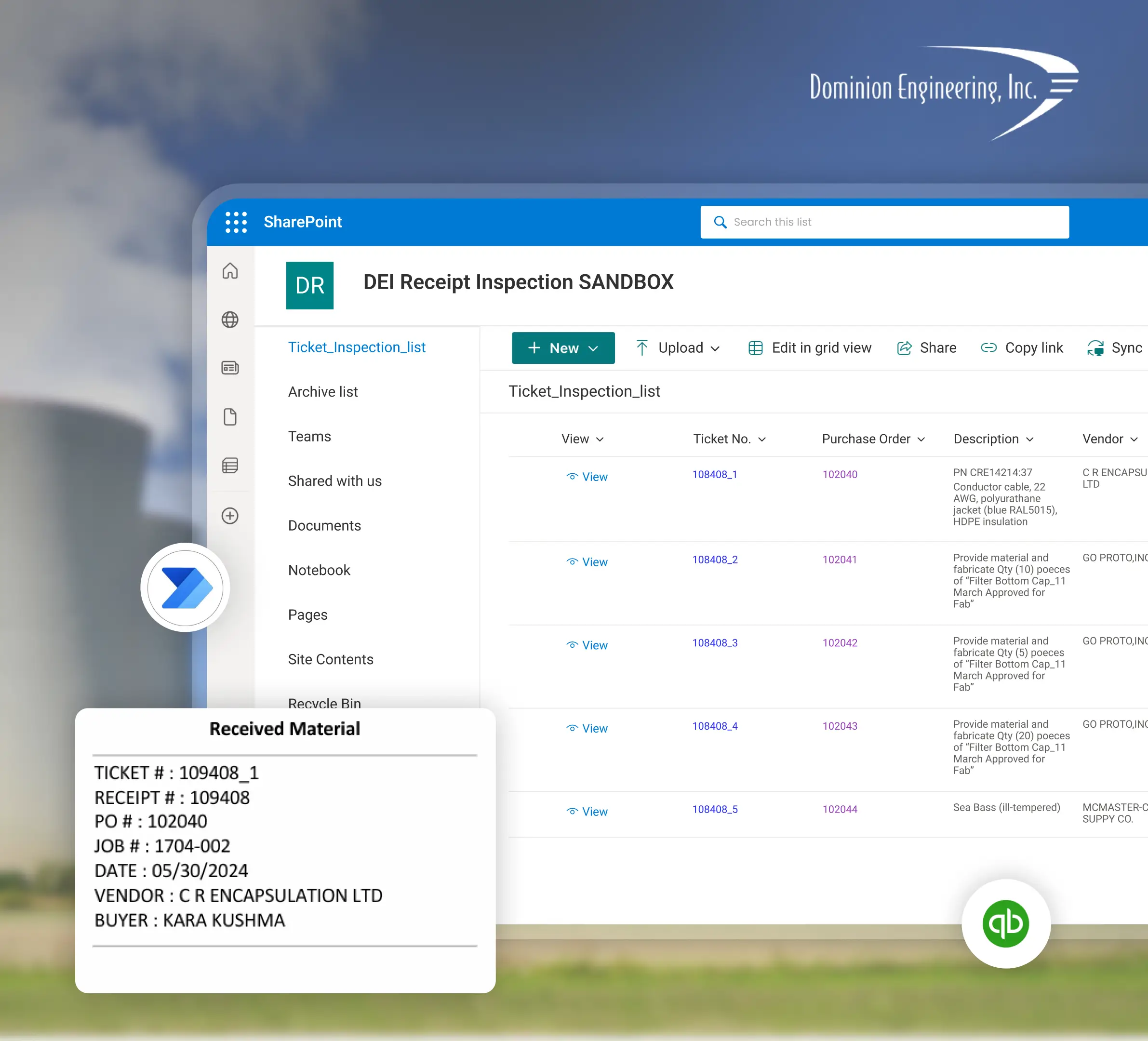
Planning a Dynamics 365 CRM Implementation with Sunflower Lab
Discovery & CRM Audit
We map your current sales and service process, data quality, and where reps are working around the system. Discovery can start in person from our Coppell office or on site at your warehouse, jobsite, or community office, with any travel for go live scoped up front.
Data & Process Design
Migration plan, data model, and automation scope, with a fixed-price roadmap before any build starts.
Build & Migrate
Configuration, data migration, and automation built in focused sprints.
Adopt & Scale
Training, adoption support, and ongoing tuning as usage and the Copilot layer grow.
Frequently Asked Questions
Talk to our Dynamics 365 CRM experts
Free 30-minute discovery call. We'll audit your current CRM setup, estimate migration scope, and map out the automation layer.

