

Dynamics 365 CRM Consulting for Texas Teams That Quote, Dispatch, and Support Across Long Distances
In Texas, the customer is rarely down the hall. Reps quote from a truck cab, technicians drive hours between jobs, and the person who knows the account sits in another city. Dynamics 365 CRM can hold all of that, but only if it is built around those distances. We implement Sales, Customer Service, and Field Service end to end, with in person discovery available from our Houston and Dallas-Fort Worth offices, then build the automation and reporting layer that makes the CRM the system your team actually uses.
What Is Dynamics 365 CRM Consulting?
Dynamics 365 CRM consulting is the work of implementing, configuring, and integrating Microsoft's Sales, Customer Service, and Field Service applications so a team runs its deal cycle, support queue, and field operations inside one system, not a spreadsheet next to it. Sunflower Lab handles the full cycle: data migration, configuration, Power Platform automation, and the Copilot layer that decides whether the CRM gets used daily or ignored. In Texas that often means one system serving a sales team in one metro, a service desk in another, and technicians on the road in between.
Texas Teams Run Quotes From Excel and Dispatch From Text Messages, Then Call It a CRM
A license is not an implementation. We see the same three failures across Texas Dynamics 365 CRM environments:
Quotes and rate sheets live in Excel
Each rep keeps a workbook of customer rates, so two people can quote the same account two different prices.
Dispatch runs on text messages
Technicians and vendors get jobs through a group chat, and nobody can say who is closest or what was finished.
Customer history leaves with the person
When a rep or a technician moves on, the notes, past visits, and promises made go with them.
If that sounds familiar, the software is rarely the cause. The implementation stopped at the standard forms.
Full-Cycle Dynamics 365 CRM Implementation
We don't bolt automation onto someone else's rushed rollout. We implement Dynamics 365 CRM from requirements through adoption, across Sales, Customer Service, and Field Service.
Getting the Data and Process Right
Before automation or reporting means anything, the underlying data and process need to hold up. We work on:
- Module and licensing strategy: which of Sales, Customer Service, and Field Service your team actually needs, not the full suite by default
- Data model design and migration from a legacy CRM, spreadsheets, or a platform like Salesforce or HubSpot
- Business process flows, forms, and views configured around how your team actually sells and services
- Security roles and business units set up so the right people see the right records, nothing more
- Server-side sync for email and calendar so activity logs itself instead of relying on reps to type notes
- Language, territory, and business unit setup for teams spread across Houston, Dallas-Fort Worth, San Antonio, and South Texas
Making the CRM Something People Actually Use
Once the foundation is solid, the CRM can start doing work on its own. We build:
- Power Automate workflows for lead routing, case escalation, and approval chains
- Power BI dashboards for pipeline, service SLAs, and field technician utilization
- Power Apps for the exception workflows Dynamics 365's standard screens don't cover
- Copilot configuration for AI-assisted case summaries, email drafting, and next-best-action
- Integration with Microsoft 365 and, where relevant, Business Central or Finance and Operations
- Power Pages portals so customers, tenants, and vendors can submit and track requests without calling
Running Sales and Marketing together and need the lead-scoring and handoff story specifically?
See Dynamics 365 Sales & Marketing →How Texas Businesses Use Dynamics 365 CRM
Six Texas business types where the CRM has to handle a quote, a service promise, or a technician on the road, and how each one is set up.
Heating, cooling, plumbing, and electrical contractors in the DFW, Houston, and San Antonio suburbs
Membership plans, seasonal tune ups, and emergency calls compete for the same technicians. Field Service stores skills and territory per technician, turns each membership into recurring work orders, and ranks emergency calls ahead of routine ones. Power Apps captures the customer signature and parts used from the truck, and Power BI shows first visit fix rate and drive time by territory.
Property managers and multifamily operators in San Antonio and the Dallas and Houston metros
Tenants report leaks, lockouts, and appliance failures through whatever channel is closest. Customer Service turns each report into a case tied to the property and unit, and Field Service dispatches in house staff or an outside vendor with a completion form and photos. Rent, trust accounting, and owner statements stay in the property management system.
Homebuilders and remodeling firms in the Houston and Dallas growth corridors
Buyers choose a community, a lot, a plan, and options, then call about warranty items for years. Sales holds the buyer pipeline with the lot and option choices, and the same buyer record carries into Customer Service, where each warranty request is a case tied to the home and routed to the right trade partner.
Bilingual service desks in South Texas and the Rio Grande Valley
Teams in McAllen, Brownsville, and nearby cities serve retail energy customers, lenders, health plan members, and membership organizations in English and Spanish. Customer Service routes by language skill, keeps knowledge articles in both languages, and starts response timers on each case. Power BI splits volume and resolution time by language.
Contractors and consultancies selling to Texas school districts, cities, counties, and state agencies
Public work is won on solicitation deadlines, bonding limits, and past performance. Sales tracks each solicitation as an opportunity with a due date and stage, lists the subcontractors invited per bid, and records why a bid was lost. Power Automate reminders keep addenda and deadlines from slipping, and Power BI shows win rate by agency.
Industrial services and equipment rental companies in the Permian Basin and Eagle Ford
Customers buy under negotiated rate sheets that differ account by account, and an out of date rate sheet is an easy mistake to quote from. Sales stores a price list per customer with start and end dates, quotes from the list assigned to that account, and routes discounts above your threshold to a manager for approval.
What This Looks Like in Practice
Cold Storage & Logistics: From Weekly Excel Exports to Real-Time KPIs
Core X Partners runs cold storage and logistics across multiple warehouses. Dynamics 365 was already their system of record, but the team was still updating operational metrics in Excel every week. We built the integration layer connecting Dynamics 365, their warehouse management system, and their CRM data directly into Power BI. Result: 16 warehouses reporting in real time, 3 systems unified into one dashboard, zero manual weekly Excel exports left.
View Case Study
Inspections From 15 Minutes to Seconds
Dominion Engineering's product inspections took 15 minutes each, with data scattered across disconnected systems. We connected SharePoint and Dynamics 365 through Power Automate, auto-generating inspection tickets and Teams alerts on every receipt trigger. Result: inspection time cut to seconds, 10-15 hours saved weekly, and 60 hours saved monthly in receivables.
View Case Study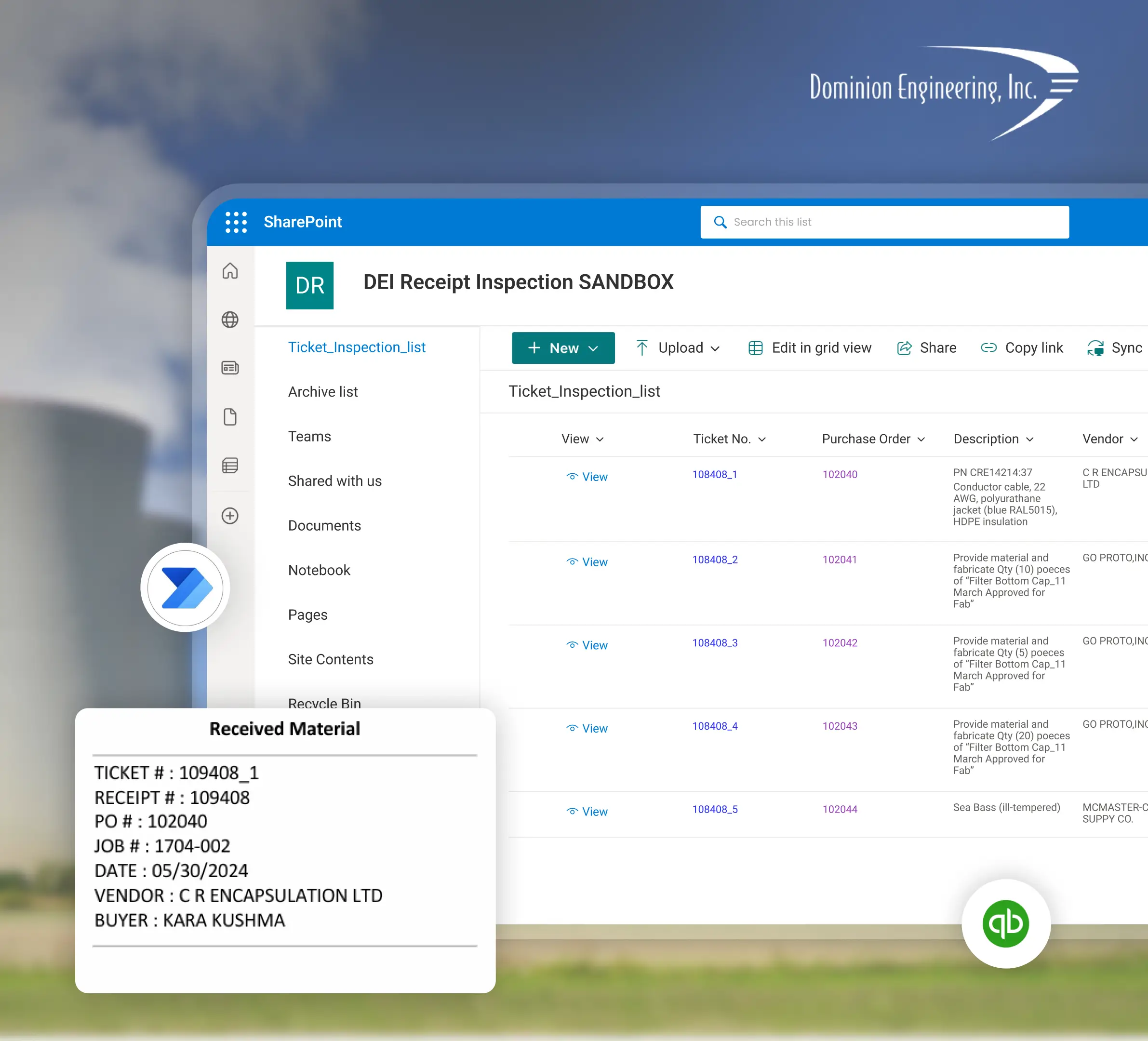
Planning a Dynamics 365 CRM Implementation with Sunflower Lab
Discovery & CRM Audit
We map your current sales and service process, data quality, and where reps are working around the system. Discovery can start in person from our Houston or Dallas-Fort Worth office, or remotely for sites farther out, with travel for go-live scoped up front.
Data & Process Design
Migration plan, data model, and automation scope, with a fixed-price roadmap before any build starts.
Build & Migrate
Configuration, data migration, and automation built in focused sprints.
Adopt & Scale
Training, adoption support, and ongoing tuning as usage and the Copilot layer grow.
Frequently Asked Questions
Talk to our Dynamics 365 CRM experts
Free 30-minute discovery call. We'll audit your current CRM setup, estimate migration scope, and map out the automation layer.

