

Business Central Consulting for Cleveland Companies With Long Jobs, Outside Vendors, and Stock at the Customer Plant
Most Dynamics 365 Business Central implementation partners hand you a configured system and disappear. We implement Business Central for Cleveland manufacturers, distributors, and nonprofits with Power BI, Power Automate, and Power Apps connected from day one, so milestone billing, outside processing, and customer site stock do not drift back into spreadsheets.
What Is Business Central Consulting?
Business Central consulting is the work of evaluating, implementing, integrating, and optimizing Microsoft's cloud ERP (enterprise resource planning, the system that runs finance, inventory, purchasing, and sales) for small and mid-sized companies. For Cleveland companies it usually starts with orders that do not fit one invoice: long builds, parts sitting at an outside vendor, or stock held at a customer plant. The job is not finished at go-live. It is finished when finance, sales, and the plant run on the system instead of around it.
Cleveland Companies With Long Jobs and Outside Vendors Should Not Track Them in Email
Business Central is Microsoft's ERP for companies that have outgrown QuickBooks, Sage, or a spreadsheet-based finance stack but don't need the complexity, or cost, of Dynamics 365 Finance and Operations. Microsoft puts the installed base at over 50,000 organizations worldwide, most in the 20 to 1,000 employee range.
Deposits and milestones live in email
Payment schedules, change orders, and acceptance sign offs are tracked by whoever remembers them.
Outside vendors hold your parts and your cost
Plating, heat treat, and coating lots leave the building, and so does the true job cost.
Customer sites hold your stock
Tool crib and consigned inventory is counted by a driver and invoiced weeks later.
That's rarely a software problem. It's a scoping and implementation-partner problem, which is exactly what the sections below address.
Business Central Consulting, Implementation & Integration
We work across the full Business Central lifecycle: getting you live on the platform, connecting it to everything else you run on, and keeping it optimized after go-live. Most partners specialize in one of these. We built the firm around doing all three without a handoff between teams.
Live, Built to Connect From Day One
The end-to-end process of configuring Business Central to your business, migrating your data, and getting your team live: chart-of-accounts and G/L setup, module configuration, data migration, integration design, testing, and training.
Most implementation partners treat Power BI, Power Automate, and Power Apps as a phase two nobody schedules. We scope them in from the start, so the rollout doesn't just relocate the busywork instead of removing it.
- Discovery and data audit against your current systems
- Chart of accounts, G/L, and core module configuration
- Data migration and validation from your legacy system
- User roles, approval workflows, and security setup
- Integration and automation design built in, not bolted on
- Testing, go-live support, and user training
- Fit-gap review of milestone billing, outside processing, and customer site stock
Connecting to Everything Else You Run On
Connecting your ERP to the other systems your business already runs on, so data moves automatically instead of getting re-typed. Business Central ships with native connectors for the most common cases and an open API layer for everything else.
- Power BI for real-time financial dashboards
- Power Automate for approval routing and PO workflows
- Power Apps for workflows standard screens don't cover
- Shopify & ecommerce for two-way order and inventory sync
- CRM systems (Dynamics 365 Sales, Salesforce)
- WMS, payroll & legacy systems via custom API
This is the layer most partners treat as an afterthought and the one we specialize in. If your go-live is done but reporting still means a manual export, this is where we start.
Explore Power Automate Development →See Power BI Development Services →
Before You Commit, and After You Go Live
The advisory work around implementation: license selection, fit-gap analysis, performance optimization for a system you're already running, and recovery for a rollout that stalled or underdelivered.
- Evaluating Business Central against QuickBooks, NetSuite, or Sage
- Auditing an existing instance that's underused or misconfigured
- Rescuing a stalled or over-budget implementation from another partner
- Planning a phased rollout across multiple entities or locations
- Ongoing managed support after another partner's implementation ended at go-live
- Reviewing an existing instance for open job costs, vendor scrap, and consigned stock
Retiring Dynamics NAV or GP the Right Way
Microsoft has pushed both legacy on-premise ERPs toward end of support, and NAV and Dynamics GP customers are working through the same decision: upgrade in place or move to Business Central. We handle the migration end to end, including the customizations and integrations that made the old system usable in the first place.
NAV to Business Central
Your core data structure carries over cleanly if your NAV environment is on a supported version and reasonably well organized. The real work is converting old C/AL customizations into modern AL extensions, so they survive Business Central's twice-yearly update cycle instead of breaking on the next release.
Dynamics GP to Business Central
GP doesn't upgrade in place, so this is a re-implementation: financials, customers, vendors, and inventory history migrated and validated, GP customizations rebuilt as Business Central extensions, and your team trained on a genuinely different interface, not a GP reskin.
What This Looks Like in Practice
Both projects were delivered outside Cleveland. The integration layer is the same one we build around Business Central for Cleveland companies.
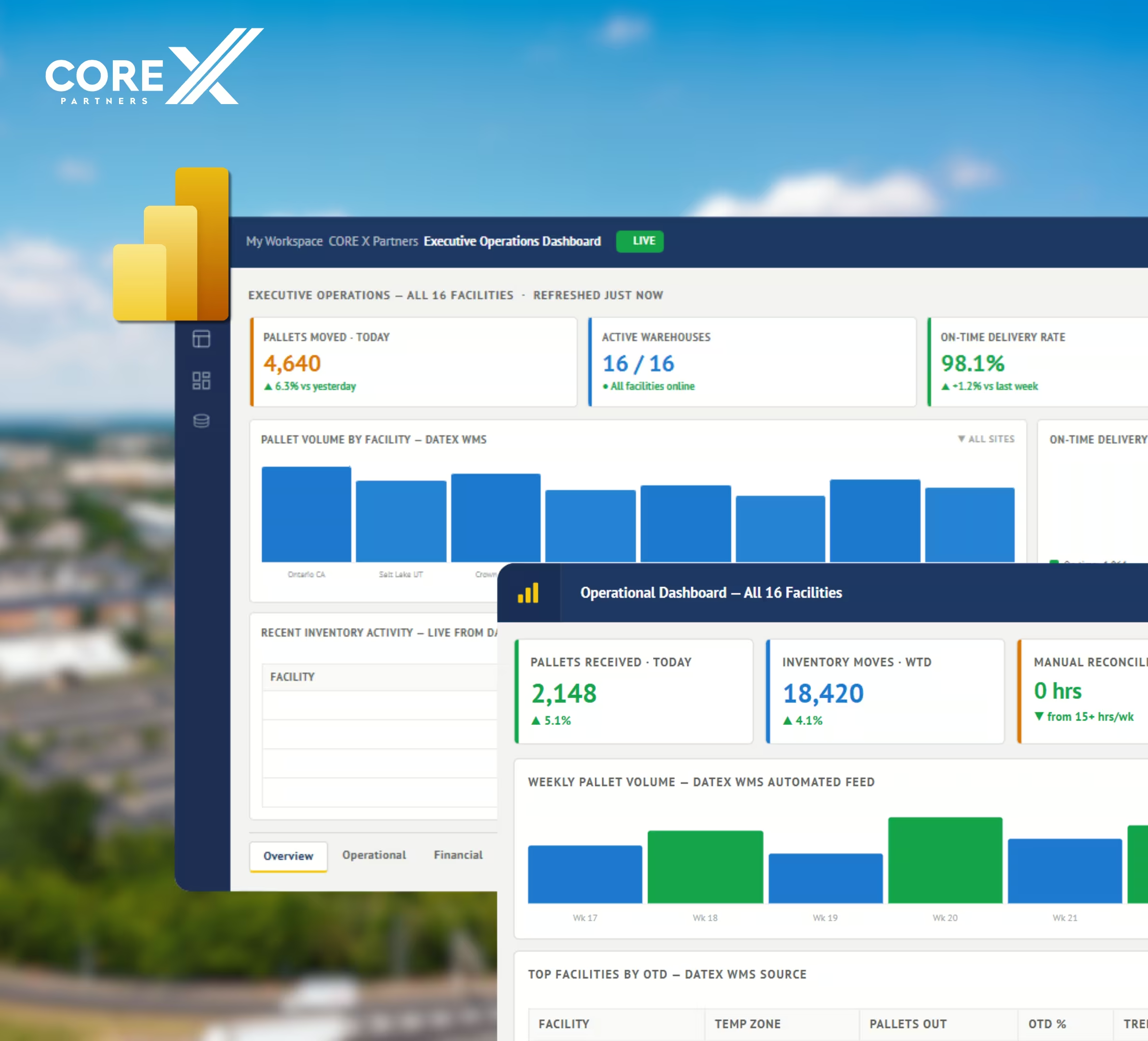
Cold Storage & Logistics: 16 Sites, 4 Systems, Zero Manual Exports
Core X Partners runs 16 cold storage facilities nationwide, each with its own operator and its own reporting workflow. Their ERP, WMS (Datex), CRM (Salesforce), and payroll system (UKG) all held pieces of the picture, but nobody had the whole thing without a manual pull. We built the integration layer connecting all four systems into a single Power BI model with automated refresh.
Proof the Integration Layer Works, Regardless of Your ERP
United Utility runs Sage 300, not Business Central, but the problem was the same one Business Central customers hit after go-live: seven operating divisions, each with different rules and rates, all reporting through manual timesheets and spreadsheets. We connected their ERP to Power Apps, Power BI, and Power Automate. It's the same integration layer we build around Business Central, applied to whatever core system you're actually running.

How Cleveland Businesses Use Business Central
Cleveland companies come to us with orders that do not fit a single sales order: stock that lives at the customer, tooling someone else paid for, and lots bought whole and sold in pieces.
Industrial distributors with stock in customer tool cribs
Hydraulic, fastener, bearing, and abrasive distributors often keep their own stock on a shelf inside the customer plant and bill when the crib is drawn down. Business Central holds each customer crib as its own location, so owned stock stays on your books and replenishment orders are proposed from what was used. Invoices follow the crib count, not a guess.
Metal stamping, wire forming, and spring makers with customer funded tooling
A stamper may bill a customer for a die, then run that customer's parts on it for years. Business Central tracks the tool as a fixed asset or a deferred charge, ties its cost to the customer and part number, and can show tool cost, press hours, and scrap by job. Quotes can carry a tooling line separate from the piece price.
Used machinery and industrial surplus dealers that buy by the lot and sell by the piece
A dealer buys a plant full of equipment for one price, then sells each machine on its own. Business Central spreads the lot cost across items by value or weight, records serial numbers, and shows margin on every sale, with separate lines for rigging, freight, and refurbishing. Unsold lots stay visible as inventory instead of sitting in one account.
Truck equipment upfitters and plow dealers that build on customer chassis
Upfitters mount plows, dump bodies, hoists, and lift gates on trucks the customer owns. Business Central builds each job from an assembly bill of materials, which is a parts list that consumes stock when the job is assembled, and keeps labor on the same order. Sales orders carry the chassis VIN and delivery date, so a fall rush of plow installs stays in sequence.
Contract furniture and office interior dealers that deposit, order, deliver, and install
A dealer quotes a floor of workstations, collects a deposit, orders from several manufacturers, and installs when everything arrives. Business Central uses prepayments for the deposit, special orders to tie each purchase to the customer order, and partial shipments, so the job invoices as pieces arrive and install labor bills on its own line.
Business Central Licensing at a Glance
Microsoft US list pricing, current as of the September 2026 update. If you run production orders and routings, you need Premium. If you sell services, trade goods, or build simple assemblies, Essentials usually covers it.
- Finance, sales, purchasing, inventory
- Basic CRM & project management
- Everything in Essentials
- Manufacturing (BOM, production)
- Service order management
Lighter users can be covered by a Team Member license at $8/user/month for read-only or light-entry access.
How Implementation Works
Discovery & Solution Design
We audit your current systems, data quality, and integration needs, then map them into a fixed-price roadmap before any build starts. Design workshops can run on site in Cleveland or by video from our Hilliard, Ohio office, about 145 miles away.
Configuration & Data Migration
Core modules configured to your business; legacy data migrated and validated.
Integration & Automation Build
Power BI, Power Automate, Power Apps, and any third-party connectors built in parallel with configuration, not after.
Testing, Go-Live & Training
Full functional and integration testing, then go-live with hands-on user training, on site in Cleveland when the project calls for it.
Optimize & Scale
We stay on to tune performance, extend automation, and add the Copilot/AI layer as adoption grows.

