Your Dynamics 365 Implementation Partner Got You Live. Who Gets You to Value?
8 min readYour Dynamics 365 implementation went live. Training happened. The consultants left a handover document and a support number. Twelve months later, finance still exports data to Excel, sales still does not trust the pipeline report, and the list of "phase two" requests keeps growing.
We hear this from COOs and CTOs every month. It rarely means the platform failed or the partner was bad. It means the work changed. Implementation and enhancement are different jobs, and one partner often cannot cover both. The usual fix in Dynamics 365 consulting is to add a specialist, not to start over.
Where a Dynamics 365 program earns its return
Microsoft's Success by Design framework splits delivery into four phases.
What is an enhancement partner?
An enhancement partner is a Dynamics 365 specialist you add alongside your existing implementation partner to extend, optimize, or integrate a live system. Your original partner keeps ownership of the core build and licenses. The enhancement partner takes defined scope, such as reporting, automation, integrations, or Copilot.
Why a live Dynamics 365 implementation still stalls
Microsoft's Success by Design framework splits a Dynamics 365 implementation into four phases: Initiate, Implement, Prepare, and Operate. In our experience, most implementation contracts are scoped around the first three. Operate is where value shows up, and it is where attention and budget thin out.
Armanino made the same point in a September 2026 analysis of Customer Engagement projects. Go-live is a milestone, and the return on the project depends on adoption and business readiness after it.
Three things usually cause the stall:
Your partner protects the core.
The team that built your configuration is rightly careful about changing it. That caution slows anything new.
Your business moved.
New products, new reporting demands, and new acquisitions arrive after the scope was signed.
The platform moved faster than your support retainer.
Copilot, agents, and Power Platform capabilities ship constantly. A break-fix contract was never built to absorb them.
Replace, add, rescue, or support?
Four different problems get called "partner problems." Each has a different answer.
| At a glance | Replace your partner | Add an enhancement partner | Rescue | Managed services |
|---|---|---|---|---|
| Trigger | Trust is broken or expertise is missing | System works, value has plateaued | Project is failing or stalled | You need stable operations |
| Risk to your live system | High, because knowledge transfers | Low, because scope is bounded | Medium to high | Low |
| Time to first result | Months | Weeks | Weeks to months | Immediate for tickets |
| Who owns the core build | New partner | Original partner | Rescue partner | Support vendor |
| Best for | Repeated missed commitments | Reporting, automation, integration, and AI gaps | Budget overruns, failed go-live | Break-fix and monitoring |
Swipe the table sideways to compare all four.
If your partner still meets commitments, replacement costs you months of context for little gain. If the project itself is failing, a rescue engagement is the better path.
7 signs your current partner is not enough
Check the signs that match your system.
Three or more means the system is live but under-used. That is an enhancement problem.
What an enhancement partner actually does
We scope this work against the parts of your stack that deliver the most value fastest:
Reporting and analytics
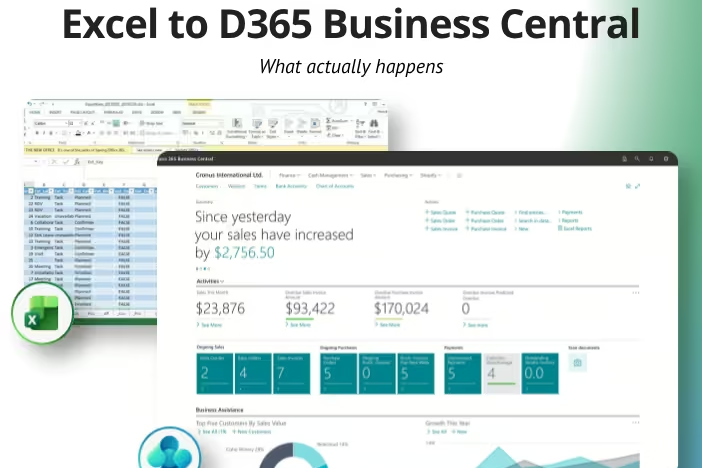
Replace Excel reports with live dashboards through Power BI development and data and analytics work.
Workflow automation
Approvals, notifications, and data sync through Power Automate consulting.
Custom apps
Role-specific screens your users actually open, built with Power Apps development.
AI and agents
Practical use cases through AI development services and agentic AI automation.
Module depth
Specialist help on Dynamics 365 CRM, Sales and Marketing, Finance and Operations, and Business Central.
What an enhancement partner leaves alone: your core configuration, your licensing relationship, and any customization nobody has agreed to change. For the full range of services, see our Dynamics 365 consulting page.
How to run two partners without chaos
Two vendors means finger pointing only when scope is vague. Six rules prevent it:
Original partner
Owns the core solution.
One shared backlog
Your business owner sets priority, not either vendor.
Enhancement partner
Owns scoped extensions inside a written boundary.
One change review: anything that touches the core passes through it.
Quarterly design reviews: both teams, one agenda.
One owner for the core solution.
Usually your original partner.
One shared backlog.
Your business owner sets priority, not either vendor.
A written scope boundary.
List who touches what before work starts.
Shared release rules.
Separate development environments, one release calendar, agreed solution layering.
One change review.
Anything that touches the core passes through a single review.
Quarterly design reviews.
Microsoft recommends regular reviews in Success by Design. They keep both teams aligned.
Write the boundary down and most conflicts never happen.
6 questions to ask before you add one
Have you delivered extensions on the Dynamics 365 modules we run?
How will you work with our current partner day to day?
What will you refuse to change?
How do you handle solution layering and Microsoft release waves?
Can you offer a fixed-scope first engagement?
Who owns the code and documentation when you finish?
The answer should be you.
What the first 30 days look like
Week 1
Review environments, customizations, integrations, and license usage.
Week 2
Present health check findings. Rank fixes by business value.
Weeks 3 and 4
Ship one visible win, such as an automated approval flow or a live dashboard that retires an Excel report.
End of month
Deliver a prioritized roadmap, reviewed with your original partner.
One shipped win in 30 days tells you more about a partner than any proposal.
Where Sunflower Lab fits
We are a Microsoft Solutions Partner. We run full Dynamics 365 implementations, and we also join projects as the enhancement partner. If replacing your current partner is the right call, we will say so.
FAQ
Do I need to replace my Dynamics 365 partner to add another?
No. Keep your current partner for the core solution and add a specialist for defined scope such as reporting, automation, or integrations. Replace only when commitments are repeatedly missed or expertise is missing. Adding a partner keeps system knowledge intact and avoids a months-long handover.
What is the difference between an enhancement partner and managed services?
Managed services keep the system running through monitoring, incident resolution, and routine updates. An enhancement partner builds new capability: reports, automations, integrations, and AI features. Many companies need both. Managed services protect what you have, and enhancement work increases what the system returns.
Can two partners work in the same Dynamics 365 environment?
Yes, with clear rules. Define who owns the core solution, keep separate development environments, share one release calendar, and route core changes through a single review. Regular design reviews, a practice Microsoft recommends in Success by Design, keep both teams aligned.
Does adding a partner affect my Microsoft licensing or support?
Adding a delivery partner for scoped work does not by itself change what you license. Licensing and support arrangements vary by product and agreement, so confirm with your Microsoft account team or current partner before work starts.
How much does an enhancement engagement cost?
Cost depends on scope. A single automation or report is a small, fixed engagement. Integrations and multi-module work cost more. We scope each engagement after a free health check.
When is replacing the partner the better call?
Replace when your partner repeatedly misses commitments, lacks expertise in your modules, or cannot explain your own solution to you. Add a partner when the team delivers reliably but lacks capacity or specialty. In both cases, run an independent health check first.
Get an independent view before you decide
Not sure whether you need to replace, add, or rescue? Book a Dynamics 365 health check with our team. You get a ranked list of fixes and a clear answer on whether your current partner can deliver them.
You might also like
Stay ahead in tech with Sunflower Lab’s curated blogs, sorted by technology type. From AI to Digital Products, explore cutting-edge developments in our insightful, categorized collection. Dive in and stay informed about the ever-evolving digital landscape with Sunflower Lab.