

Dynamics 365 CRM Consulting for New Jersey Teams That Sell, Service, and Dispatch
Most Dynamics 365 CRM rollouts in New Jersey stop at the standard forms. Six months later, reps keep a spreadsheet next to the CRM, service requests still land in a shared mailbox, and technicians still write tickets on paper. We implement Sales, Customer Service, and Field Service end to end, with in person discovery available in Somerset, then build the automation and reporting layer that makes the CRM the system your team actually uses.
What Is Dynamics 365 CRM Consulting?
Dynamics 365 CRM consulting in New Jersey is the work of implementing, configuring, and integrating Microsoft's Sales, Customer Service, and Field Service applications so a team runs its deal cycle, service queue, and technician schedule inside one system instead of a spreadsheet and a shared mailbox. Sunflower Lab, a Microsoft Solutions Partner with an office in Somerset, handles the full cycle: data migration, configuration, Power Platform automation, and the Copilot layer that decides whether the CRM gets used daily or ignored.
New Jersey Teams Buy Dynamics 365 CRM for Sales, Then Run Service Out of a Mailbox
Owning the licenses and running the business inside the system are two different things. We see the same three failures across New Jersey Dynamics 365 CRM environments:
Service requests live in a shared mailbox
The case module exists, but customer emails still land in one inbox and someone forwards them by hand.
Contract terms live in someone's head
Response times, covered equipment, and renewal dates sit in a spreadsheet, so nobody can say whether a customer is entitled to the visit.
The forecast doesn't match the pipeline
Leadership pulls a number for the board deck that doesn't match what's actually sitting in the system.
If any of that sounds familiar, it's rarely the software. It's that implementation stopped at go-live.
Full-Cycle Dynamics 365 CRM Implementation
We don't bolt automation onto someone else's rushed rollout. We implement Dynamics 365 CRM from requirements through adoption, across Sales, Customer Service, and Field Service.
Getting the Data and Process Right
Before automation or reporting means anything, the underlying data and process need to hold up. We work on:
- Module and licensing strategy: which of Sales, Customer Service, and Field Service your team needs, and which people need full access versus light access
- Tiered data migration from a legacy CRM, Salesforce, HubSpot, or spreadsheets: live records first, recent activity next, older history archived and linked
- Account and asset structure: parent companies, sites, and the equipment or vehicles installed at each
- Business process flows, forms, and views configured around how your team sells and services, with security roles so each person sees only the right records
- Server side sync for email and calendar, plus shared mailboxes connected to case queues so requests stop living in an inbox
Making the CRM Something People Actually Use
Once the foundation is solid, the CRM can start doing work on its own. We build:
- Power Automate workflows for case escalation, entitlement alerts, quote approvals, and credit approvals
- Power BI dashboards for pipeline, SLA compliance by customer tier, first visit fix rate, and technician utilization
- Power Apps for the exception workflows standard screens do not cover, such as warranty claims and field inspection forms
- Copilot configuration for case summaries, email drafting, and next best action
- Integration with Microsoft 365 and, where relevant, Business Central or Finance and Operations
Running Sales and Marketing together and need the lead scoring and handoff story specifically?
See Dynamics 365 Sales & Marketing in New Jersey →How New Jersey Businesses Use Dynamics 365 CRM
Six New Jersey business types where the CRM has to handle a customer relationship, a service promise, or a technician visit, and how each one is set up.
Fire protection, elevator, and security systems contractors in South and Central Jersey
These firms sell a service agreement per building, then owe inspections on a schedule. Dynamics 365 Field Service turns each agreement into recurring work orders, sends the technician a mobile checklist, and keeps deficiency findings attached to the building, so a repair quote starts from the finding instead of a callback.
Laboratory and medical instrument service firms along the Route 1 corridor
Service teams supporting analytical instruments in Plainsboro, Cranbury, and New Brunswick sell tiered contracts with different response times. Customer Service stores each contract as an entitlement, so a case for a covered instrument starts the right clock. Field Service books the engineer with the parts and loaner unit needed.
Environmental testing and site remediation firms
Crews sample at client sites across the state, ship to a lab, and report back while clients ask where their results are. A case per client request, Field Service bookings for sampling crews, and a Power Apps field form for site notes keep status in one place. Power BI shows turnaround time by client and by crew.
Home medical equipment suppliers in Bergen, Essex, and Passaic counties
Deliveries, setups, repairs, and pickups of equipment such as hospital beds generate service cases every day. Dynamics 365 ties each case to the equipment record and routes it to a dispatcher queue. Clinical and billing detail stays in the system built for it, and the CRM holds only what service needs.
Commercial truck, trailer, and equipment dealers along the Turnpike corridor
Fleet customers expect one account manager and one service history across every unit they own. The CRM keeps the fleet account, each vehicle as a customer asset, and every service case or warranty question together, while the dealer management system stays the source for parts and invoices.
Community banks and credit unions across the Jersey Shore and central Jersey
Commercial relationship managers, branch staff, and member service all touch the same households and businesses. Sales tracks commercial loan opportunities and referral sources, Customer Service tracks member requests and complaints with due dates, and the core banking system stays the system of record, with no account numbers stored in the CRM.
What This Looks Like in Practice
Cold Storage & Logistics: From Weekly Excel Exports to Real-Time KPIs
Core X Partners runs cold storage and logistics across multiple warehouses. Dynamics 365 was already their system of record, but the team was still updating operational metrics in Excel every week. We built the integration layer connecting Dynamics 365, their warehouse management system, and their CRM data directly into Power BI. Result: 16 warehouses reporting in real time, 3 systems unified into one dashboard, zero manual weekly Excel exports left.
View Case Study
Inspections From 15 Minutes to Seconds
Dominion Engineering's product inspections took 15 minutes each, with data scattered across disconnected systems. We connected SharePoint and Dynamics 365 through Power Automate, auto-generating inspection tickets and Teams alerts on every receipt trigger. Result: inspection time cut to seconds, 10-15 hours saved weekly, and 60 hours saved monthly in receivables.
View Case Study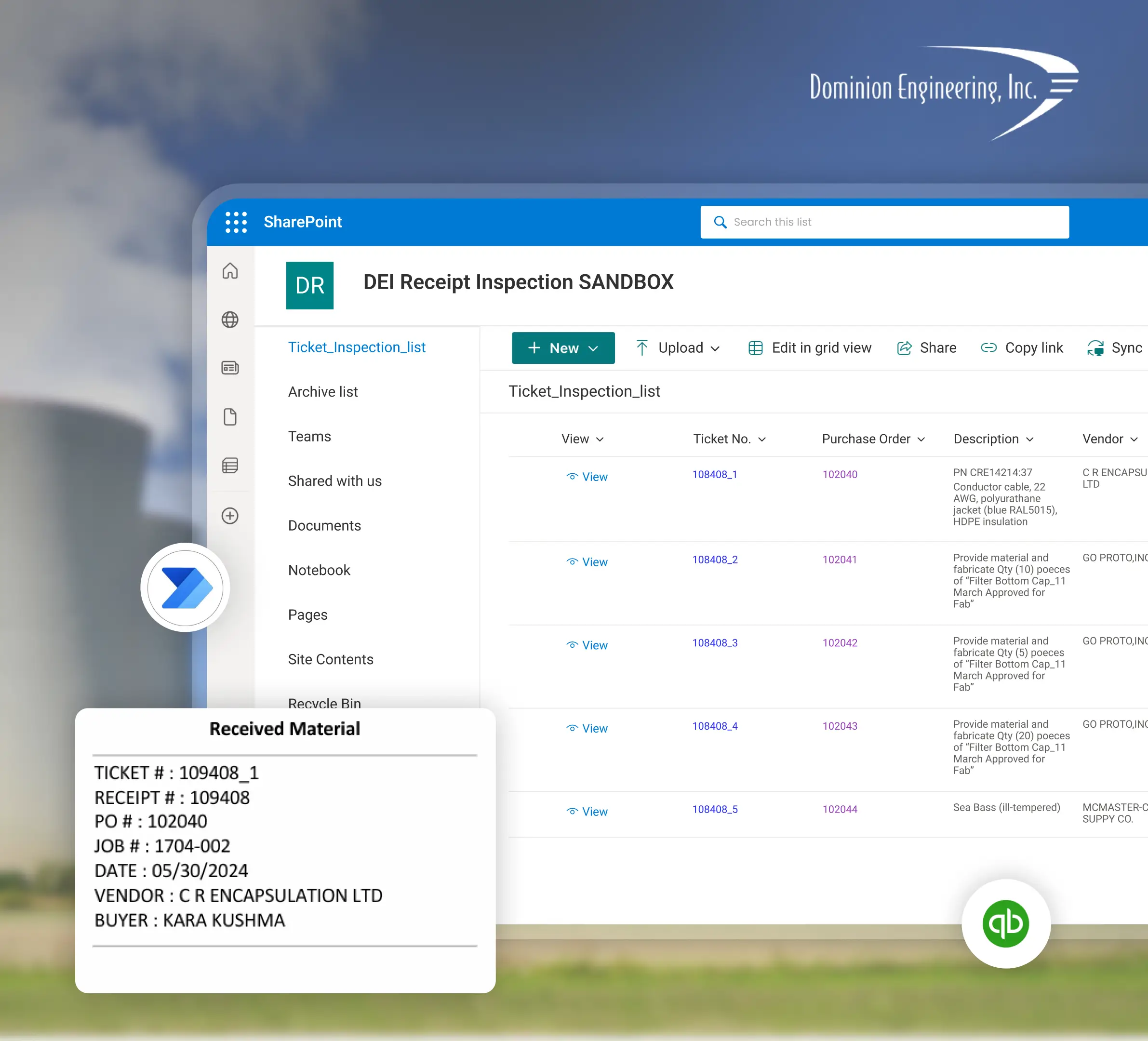
Planning a Dynamics 365 CRM Implementation with Sunflower Lab
Discovery & CRM Audit
We map your current sales and service process, data quality, and where reps are working around the system. In person discovery is available in Somerset or at your New Jersey site.
Data & Process Design
Migration plan, data model, and automation scope, with a fixed-price roadmap before any build starts.
Build & Migrate
Configuration, data migration, and automation built in focused sprints.
Adopt & Scale
Training, adoption support, and ongoing tuning as usage and the Copilot layer grow.
Frequently Asked Questions
Talk to our Dynamics 365 CRM experts
Free 30-minute discovery call. We'll audit your current CRM setup, estimate migration scope, and map out the automation layer.

